Free Tool
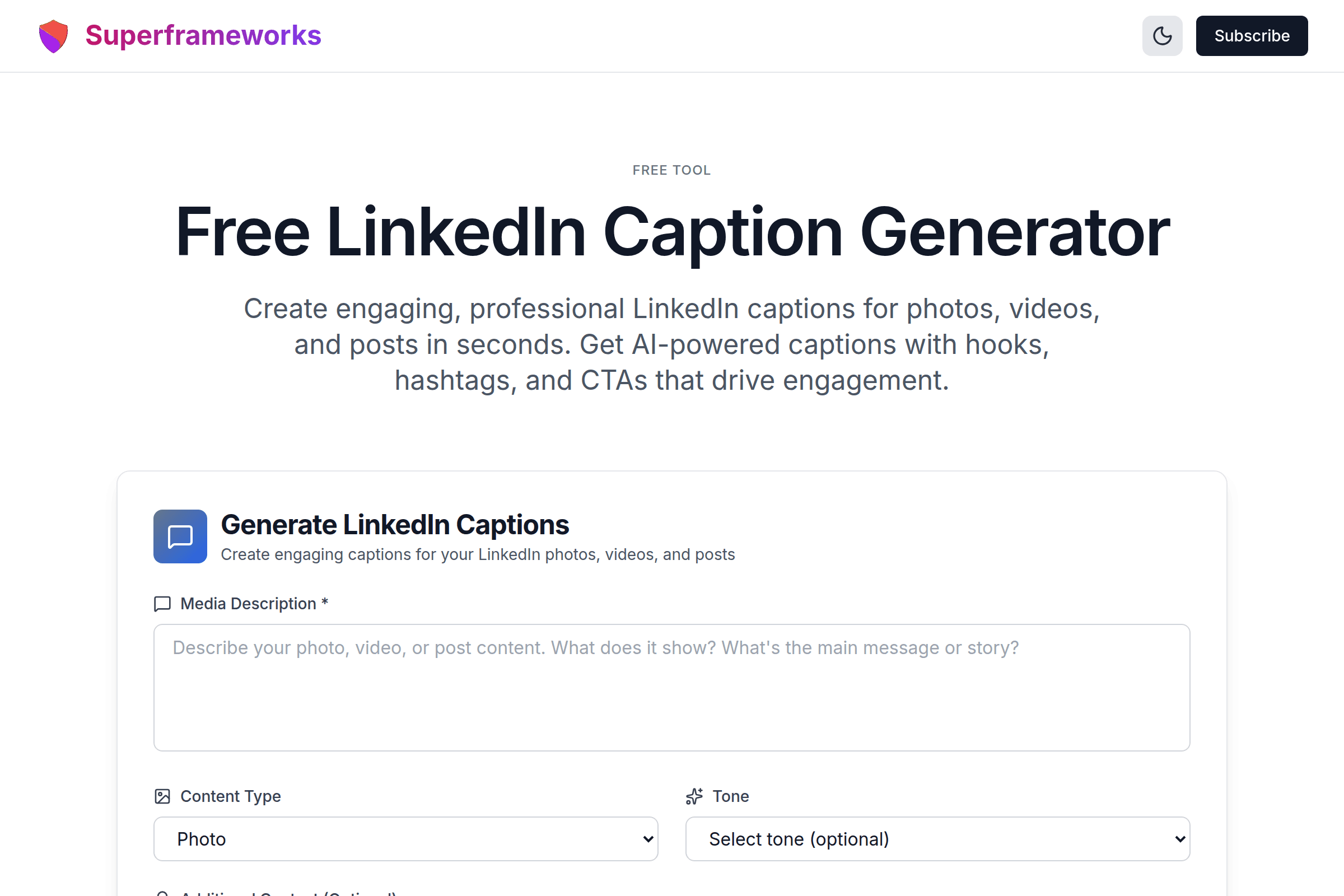
Free LinkedIn Caption Generator
Create engaging, professional LinkedIn captions for photos, videos, and posts in seconds. Get AI-powered captions with hooks, hashtags, and CTAs that drive engagement.
Generate LinkedIn Captions
Create engaging captions for your LinkedIn photos, videos, and posts
Engaging Hooks
AI-powered opening lines that stop the scroll and make people want to read your full caption.
Smart Hashtags
Get 3-5 strategically selected hashtags that boost your content's discoverability on LinkedIn.
Strategic CTAs
Each caption includes a compelling call-to-action designed to drive comments and engagement.
What You'll Get From Our Caption Generator
Attention-Grabbing Hooks
Powerful opening lines that stop the scroll and make your audience want to read more of your content.
Complete Caption Copy
Well-structured captions that tell your story, share insights, and provide value to your LinkedIn network.
Strategic Hashtags
Relevant, high-performing hashtags tailored to your content and industry for maximum discoverability.
Compelling CTAs
Clear calls-to-action that encourage comments, shares, and meaningful engagement with your posts.
Engagement Tips
Expert advice on how to maximize engagement and reach with your LinkedIn posts for better results.
Why It Works
Strategic explanations of the psychology and tactics behind each caption for deeper understanding.
Example LinkedIn Captions Generated by AI
See the quality and variety of captions our AI creates for different content types.
"Behind every great product is an even greater team."
Perfect for showcasing company culture and celebrating team achievements with authenticity.
"Solving [problem] shouldn't be this complicated. Here's how we made it simple."
Leads with the pain point, then delivers the solution - perfect for product demonstration videos.
"From 0 to 10,000 users in 90 days. Here's what we learned."
Numbers grab attention, promise valuable insights - ideal for milestone and achievement posts.
How It Works
Describe Your Media
Tell us what your photo, video, or post is about and select the content type.
Add Context & Tone
Provide additional context and choose the tone that matches your brand voice.
AI Creates Captions
Our AI generates engaging captions with hooks, hashtags, and CTAs tailored to LinkedIn.
Copy & Post
Choose your favorite caption, customize if needed, and post to LinkedIn with confidence.
Tips for Creating Engaging LinkedIn Captions
Start with a Strong Hook
The first line is crucial on LinkedIn. Make it attention-grabbing, thought-provoking, or intriguing to stop the scroll.
Tell a Story
People connect with narratives. Share experiences, lessons learned, or behind-the-scenes insights.
Add Value
Every caption should teach, inspire, or entertain. Give your audience a reason to engage with your content.
Use Line Breaks
Break up your text into short paragraphs for better readability on mobile and desktop.
Include a Clear CTA
Tell people what to do next - ask questions, encourage comments, or invite them to share their thoughts.
Use Strategic Hashtags
Include 3-5 relevant hashtags at the end. Mix popular and niche tags for better reach and targeting.
Be Authentic
LinkedIn audiences value genuine, professional content. Share real experiences and honest insights.
Optimize Length
Longer posts (1,300+ characters) often perform well on LinkedIn, but ensure every sentence adds value.
Perfect for Every LinkedIn Creator
Whether you're building your personal brand or growing your business, our caption generator helps you create engaging LinkedIn content.
Professionals
Build your personal brand and establish thought leadership with consistent, engaging LinkedIn content.
- Share career insights and expertise
- Grow your professional network
- Attract career opportunities
Business Owners
Promote your products and services while building trust and authority in your industry.
- Showcase products and services
- Generate quality leads
- Build brand awareness
Content Creators
Save time and maintain consistency with professionally crafted captions for all your LinkedIn content.
- Create content faster
- Maintain consistent posting schedule
- Maximize engagement rates
Get More LinkedIn Marketing Tips
Join our newsletter for weekly insights on LinkedIn marketing, content creation, and growing your professional brand.
Why Use Our Free LinkedIn Caption Generator?
Save Time on Content Creation
Writing compelling LinkedIn captions takes time and creative energy. Our AI-powered caption generator gives you professional-quality captions in seconds, complete with hooks that grab attention, relevant hashtags, and CTAs that drive engagement. Spend less time staring at a blank screen and more time connecting with your network.
Boost Your LinkedIn Engagement
Great captions are the difference between posts that get ignored and posts that spark conversations. Our generator creates captions that encourage comments, shares, and meaningful interactions. Each caption is crafted to maximize engagement based on LinkedIn best practices and proven content strategies.
Tailored to Your Content Type
Whether you're posting a photo, video, carousel, or document, our generator creates captions optimized for that specific content type. Photo captions highlight visual elements, video captions tease the content to increase views, and carousel captions drive curiosity to swipe through.
Strategic Insights Included
Unlike basic caption generators, we provide strategic context for every caption. Learn what makes each caption effective, how it drives engagement, and when to use it. Build your LinkedIn content skills while creating great captions.
See the LinkedIn Caption Generator in action
Explore Related Tools
Discover more tools to help you build and grow your business
AI SaaS Ideas Generator
Generate innovative AI-powered SaaS ideas based on market trends and opportunities.
Blog Ideas Generator
Generate engaging blog post ideas to drive traffic and establish thought leadership.
Slogan Generator
Create catchy slogans and taglines that capture your brand essence and resonate with customers.
Tweet Generator
Generate engaging tweets for Twitter/X with hashtags, emojis, and viral-worthy content strategies.
Frequently Asked Questions
What makes a good LinkedIn caption?
A good LinkedIn caption starts with a strong hook, tells a story or shares valuable insights, uses line breaks for readability, includes relevant hashtags (3-5), and ends with a clear call-to-action that encourages engagement. It should be authentic, professional, and provide value to your audience.
How long should my LinkedIn caption be?
LinkedIn allows up to 3,000 characters, but the ideal length is 1,300-2,000 characters for maximum engagement. The first 2-3 lines (about 150 characters) are most critical as they appear before the "see more" link. Make sure your hook is compelling to encourage readers to expand and read the full caption.
How many hashtags should I use on LinkedIn?
LinkedIn recommends using 3-5 hashtags per post. Using more than 5 can appear spammy and may actually decrease your reach. Mix broad, industry-specific hashtags with more niche ones to maximize discoverability while reaching your target audience.
Can I use emojis in LinkedIn captions?
Yes, emojis can make your captions more visually appealing and help break up text, but use them sparingly and professionally. 1-3 relevant emojis work well. Avoid excessive or unprofessional emojis that might undermine your credibility in a professional context.
What's the best way to start a LinkedIn caption?
Start with a hook that grabs attention: ask a thought-provoking question, share a surprising statistic, make a bold statement, or begin with a relatable scenario. The first line determines whether people will click "see more," so make it compelling, relevant, and curiosity-inducing.
Should I include a call-to-action in every caption?
Yes, every LinkedIn caption should include a CTA, but it doesn't have to be salesy. Ask questions to encourage comments, invite people to share their experiences, suggest they tag someone who needs to see the post, or encourage shares. CTAs drive engagement and help build conversations.
What type of content performs best on LinkedIn?
Native video, carousel posts (PDFs), and images with valuable insights tend to perform best. Content that educates, inspires, or shares authentic experiences gets the most engagement. Personal stories, industry insights, how-to guides, and thought leadership posts consistently drive engagement.
When is the best time to post on LinkedIn?
Generally, Tuesday through Thursday from 8-10 AM and 12-2 PM (in your audience's timezone) see the highest engagement. However, the best time depends on your specific audience. Test different times and analyze your post performance to find what works best for your network.
Is this LinkedIn caption generator really free?
Yes! Our LinkedIn caption generator is completely free to use with no hidden costs, sign-up requirements, or usage limits. Generate as many captions as you need for your photos, videos, and posts. We provide this tool as a free resource for LinkedIn content creators and professionals.
Can I edit the generated captions?
Absolutely! The generated captions are meant to be a starting point. Feel free to customize, edit, and personalize them to match your unique voice and specific context. Add personal anecdotes, adjust the tone, or modify the CTAs to better suit your goals and audience.