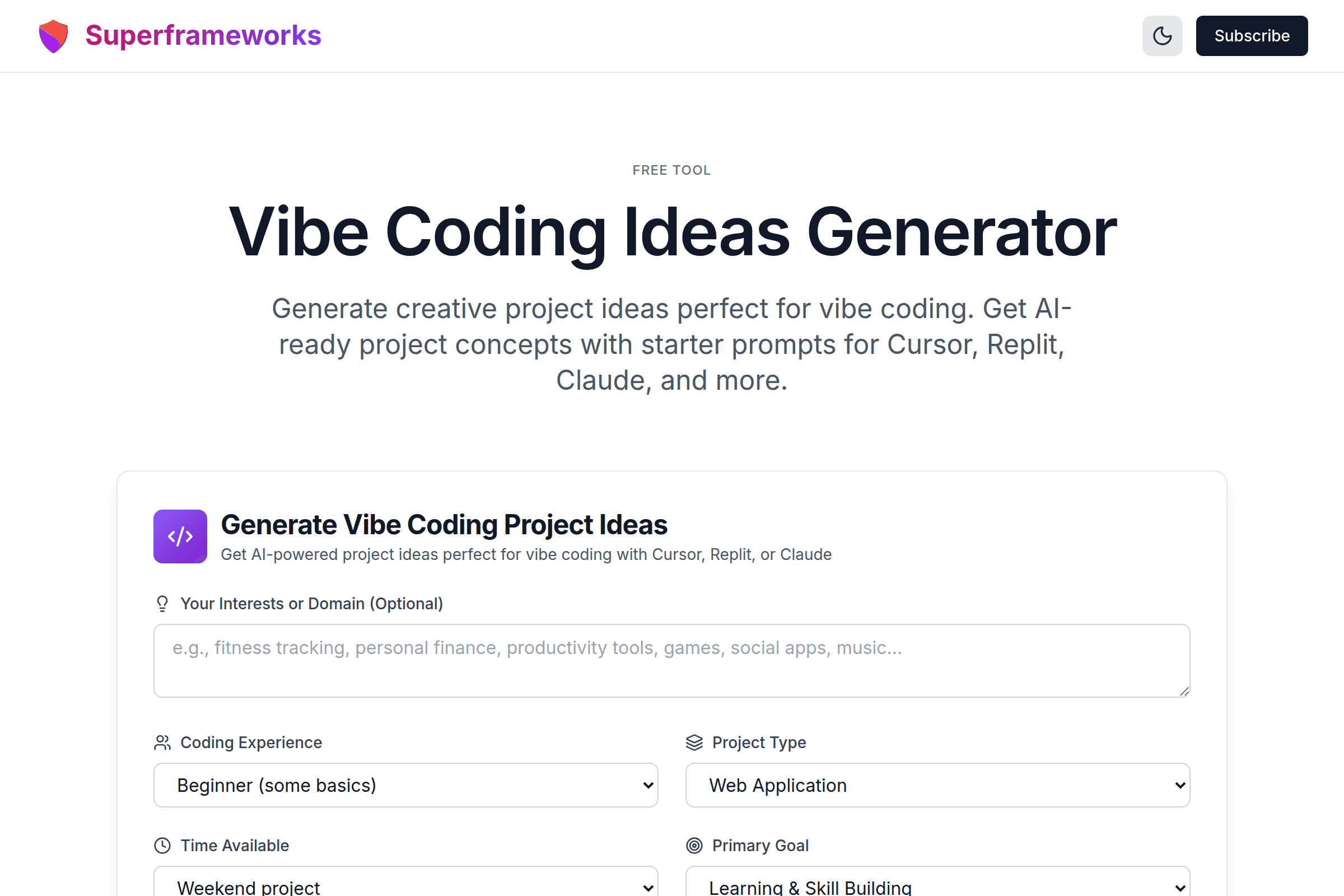
Free Tool
Vibe Coding Ideas Generator
Generate creative project ideas perfect for vibe coding. Get AI-ready project concepts with starter prompts for Cursor, Replit, Claude, and more.
Generate Vibe Coding Project Ideas
Get AI-powered project ideas perfect for vibe coding with Cursor, Replit, or Claude
AI-First Projects
Projects specifically designed for vibe coding - perfect for Cursor, Replit, or Claude.
Starter Prompts
Each idea includes prompts you can use to kick off your project with any AI coding tool.
Ship Fast
Ideas scoped for quick wins - from a few hours to a weekend project.
What You'll Get From Our Vibe Coding Ideas Generator
Creative Project Ideas
Unique, exciting project concepts tailored to your interests, skill level, and available time.
Ready-to-Use Prompts
Copy-paste starter prompts you can use directly in Cursor, Replit, Claude, or any AI coding tool.
Tech Stack Recommendations
Modern, AI-friendly tech stacks that work well with vibe coding tools and are easy to deploy.
Scoped Feature Lists
MVP features that keep projects achievable - no scope creep, just what you need to ship.
Time Estimates
Realistic time estimates for AI-assisted development - from quick 2-hour projects to weekend builds.
Enhancement Ideas
Ways to extend your project once the MVP is working - perfect for iterative vibe coding.
What Is Vibe Coding? The Complete Guide
Vibe coding is a revolutionary approach to software development where you describe what you want to build in natural language and let AI tools generate the code for you. The term was coined by Andrej Karpathy, co-founder of OpenAI and former AI leader at Tesla, in February 2025.
"There's a new kind of coding I call 'vibe coding', where you fully give in to the vibes, embrace exponentials, and forget that the code even exists."
— Andrej Karpathy, February 2025
The Core Philosophy
In vibe coding, you stop thinking about syntax, frameworks, and implementation details. Instead, you focus entirely on what you want to build, not how to build it. You describe your vision to an AI assistant, accept the generated code, and iterate based on results rather than reading every line.
Karpathy described his vibe coding workflow: "I 'Accept All' always, I don't read the diffs anymore. When I get error messages I just copy paste them in with no comment, usually that fixes it. The code grows beyond my usual comprehension."
Why Vibe Coding Exploded in 2025
Vibe coding became a cultural phenomenon:
- Named Collins Dictionary Word of the Year 2025
- Searches jumped 6,700% in spring 2025
- 25% of Y Combinator's Winter 2025 batch had codebases that were 95%+ AI-generated
- Cursor AI reached a $9.9 billion valuation in 2025
Vibe Coding vs. AI-Assisted Engineering
Not all AI-assisted coding is vibe coding. As Simon Willison clarified: "If an LLM wrote every line of your code, but you've reviewed, tested, and understood it all, that's not vibe coding—that's using an LLM as a typing assistant."
Vibe Coding
- • Accept code without full review
- • "Forget the code exists"
- • Focus on outcomes, not implementation
- • Best for prototypes & personal projects
AI-Assisted Engineering
- • Review and understand all code
- • AI as a "typing assistant"
- • Maintain engineering standards
- • Suitable for production systems
Best Tools for Vibe Coding in 2025
These AI coding tools enable the vibe coding workflow - describe what you want, let AI generate the code.
Cursor
The #1 vibe coding tool. Its Composer feature lets you describe entire features in natural language. Rated 4.9/5 by developers.
Replit Agent
Browser-based development with built-in AI agent. Perfect for beginners - no setup required, instant deployment.
Claude Code
Anthropic's AI in the terminal. Excellent for developers who prefer command-line workflows and complex reasoning.
GitHub Copilot
Integrated directly into VS Code. Great for autocomplete-style suggestions and multi-model support.
Bolt.new
Rapid full-stack prototyping in the browser. Builds and deploys complete applications with zero setup.
v0 by Vercel
Specializes in UI component generation. Perfect for quickly building beautiful interfaces and landing pages.
Example Vibe Coding Projects
Real project ideas perfect for AI-assisted development - achievable, impressive, and fun to build.
AI Mood Journal
A journaling app that analyzes your entries with AI, detects mood patterns, and offers personalized insights over time.
Chrome Tab Manager
A browser extension that auto-groups tabs by project, saves sessions, and helps you manage tab chaos.
Typing Speed Racer
A multiplayer typing game where players race by typing code snippets. Track WPM, accuracy, and compete on leaderboards.
How to Start Vibe Coding
Choose Your Tool
Pick an AI coding tool like Cursor, Replit, or Bolt.new based on your experience level.
Describe Your Vision
Tell the AI what you want to build in plain English. Be specific about features and design.
Accept & Iterate
Accept the generated code, run it, and iterate based on what you see rather than reading code.
Ship & Share
Deploy your project (most tools have one-click deploy) and share your creation with the world.
Vibe Coding Best Practices
Start Messy, Iterate Fast
Don't plan the perfect architecture. Build something that works, then improve it. Ship fast, don't let perfectionism kill the vibe.
Provide Rich Context
Include screenshots, examples, or detailed descriptions. The more context you give the AI, the better the output.
Use Natural Language
Say "build me a dashboard that shows user activity" instead of thinking about components. Let AI handle implementation.
Keep Scope Small
Vibe coding excels at focused projects. Start with 3-5 features max, then expand once the core works.
Copy-Paste Errors Directly
When you hit errors, paste them into the AI without commentary. It usually knows how to fix them automatically.
Test by Running, Not Reading
Instead of reviewing code line by line, run it and see what happens. Iterate based on behavior, not source code.
Embrace "Good Enough"
For personal projects and prototypes, "it works" is often enough. Save perfection for production systems.
Save Working Versions
Before making big changes, commit your working code. It's easy to break things when iterating quickly.
When to Use Vibe Coding
Vibe coding is powerful but not for everything. Here's when it shines and when to use traditional approaches.
Great For
- Rapid prototyping - Demo ideas quickly
- Hackathons - Build impressive demos fast
- Personal tools - Utilities just for you
- Learning projects - Explore new tech
- Side projects - Weekend builds
- MVP validation - Test ideas before investing
Not Ideal For
- Production systems - Needs proper review
- Security-critical apps - Finance, healthcare
- Large-scale systems - Complex architecture
- Team projects - Code needs to be understood
- Long-term maintenance - Technical debt builds
- Sensitive data - Needs security audit
Get Vibe Coding Tips & Project Ideas
Join our newsletter for weekly AI coding tips, project inspiration, and tool recommendations.
Why Use Our Vibe Coding Ideas Generator?
Stop Asking "What Should I Build?"
The hardest part of vibe coding isn't the coding—it's figuring out what to build. Our generator gives you creative, achievable project ideas specifically designed for AI-assisted development. No more staring at a blank screen wondering what project to start.
Ideas Matched to Your Level
Whether you're a complete beginner or an experienced developer looking to explore vibe coding, we generate ideas matched to your skill level and available time. From 2-hour quick projects to weekend builds.
Ready-to-Use Prompts
Each project idea comes with a starter prompt you can copy directly into Cursor, Replit, Claude, or any AI coding tool. Skip the prompt engineering—we've done it for you.
Scoped for Success
Vibe coding works best with focused, achievable projects. Our generator creates properly scoped ideas with MVP features that won't lead to scope creep. Build something real and complete, not an abandoned side project.
Frequently Asked Questions About Vibe Coding
What is vibe coding?
Vibe coding is an AI-assisted approach to software development coined by Andrej Karpathy in 2025. Instead of writing code line by line, you describe what you want in natural language and let AI tools generate the code. The key characteristic is accepting AI-generated code without fully reviewing it—you "forget that the code even exists" and focus on outcomes.
Do I need coding experience for vibe coding?
No! That's one of vibe coding's biggest appeals. Complete beginners can build working applications using tools like Replit Agent or Bolt.new. However, having some coding knowledge helps you debug issues faster and understand what's happening when things don't work. Studies show junior developers see 27-39% productivity gains with AI coding tools.
What are the best tools for vibe coding?
The most popular vibe coding tools in 2025 are: Cursor (rated #1, ideal for developers),Replit Agent (beginner-friendly, browser-based), GitHub Copilot (integrated in VS Code),Bolt.new (instant full-stack prototyping), Claude Code (command-line focused), and v0 by Vercel (UI component generation).
Is vibe coding safe for production applications?
Vibe coding is best suited for prototypes, personal tools, learning projects, and hackathons—not production systems handling sensitive data. As Canva's CTO stated: "You won't be vibe coding your way to production—not if you prioritize quality, safety, security and long-term maintainability at scale." For production code, use AI-assisted engineering with proper code review.
What kind of projects work best for vibe coding?
Vibe coding excels at: personal utilities, weekend side projects, MVPs and prototypes, hackathon demos, portfolio projects, browser extensions, simple web apps, automation scripts, and AI-powered tools. Projects should have clear scope, visible results, and low stakes. Our generator creates ideas specifically optimized for this workflow.
Who invented vibe coding?
The term "vibe coding" was coined by Andrej Karpathy, co-founder of OpenAI and former AI leader at Tesla, in February 2025. His tweet describing the concept went viral with 4.5+ million views. The term was named Collins Dictionary's Word of the Year 2025 and searches increased 6,700% in spring 2025.
How do I get started with vibe coding?
1) Choose a tool (Cursor for developers, Replit for beginners). 2) Pick a simple project idea from our generator. 3) Describe what you want to build in natural language. 4) Accept the generated code and run it. 5) Iterate based on what you see, not the code. 6) When you hit errors, paste them back to the AI. Start with a weekend project to get the feel for the workflow.
Is this vibe coding ideas generator free?
Yes! Our vibe coding ideas generator is completely free to use with no hidden costs, subscriptions, or usage limits. Generate as many project ideas as you need to find the perfect project to build.
See the Vibe Coding Ideas Generator in action
Explore Related Tools
Discover more tools to help you build and grow your business
AI SaaS Ideas Generator
Generate innovative AI-powered SaaS ideas based on market trends and opportunities.
Blog Ideas Generator
Generate engaging blog post ideas to drive traffic and establish thought leadership.
Slogan Generator
Create catchy slogans and taglines that capture your brand essence and resonate with customers.
Tweet Generator
Generate engaging tweets for Twitter/X with hashtags, emojis, and viral-worthy content strategies.