Free Tool
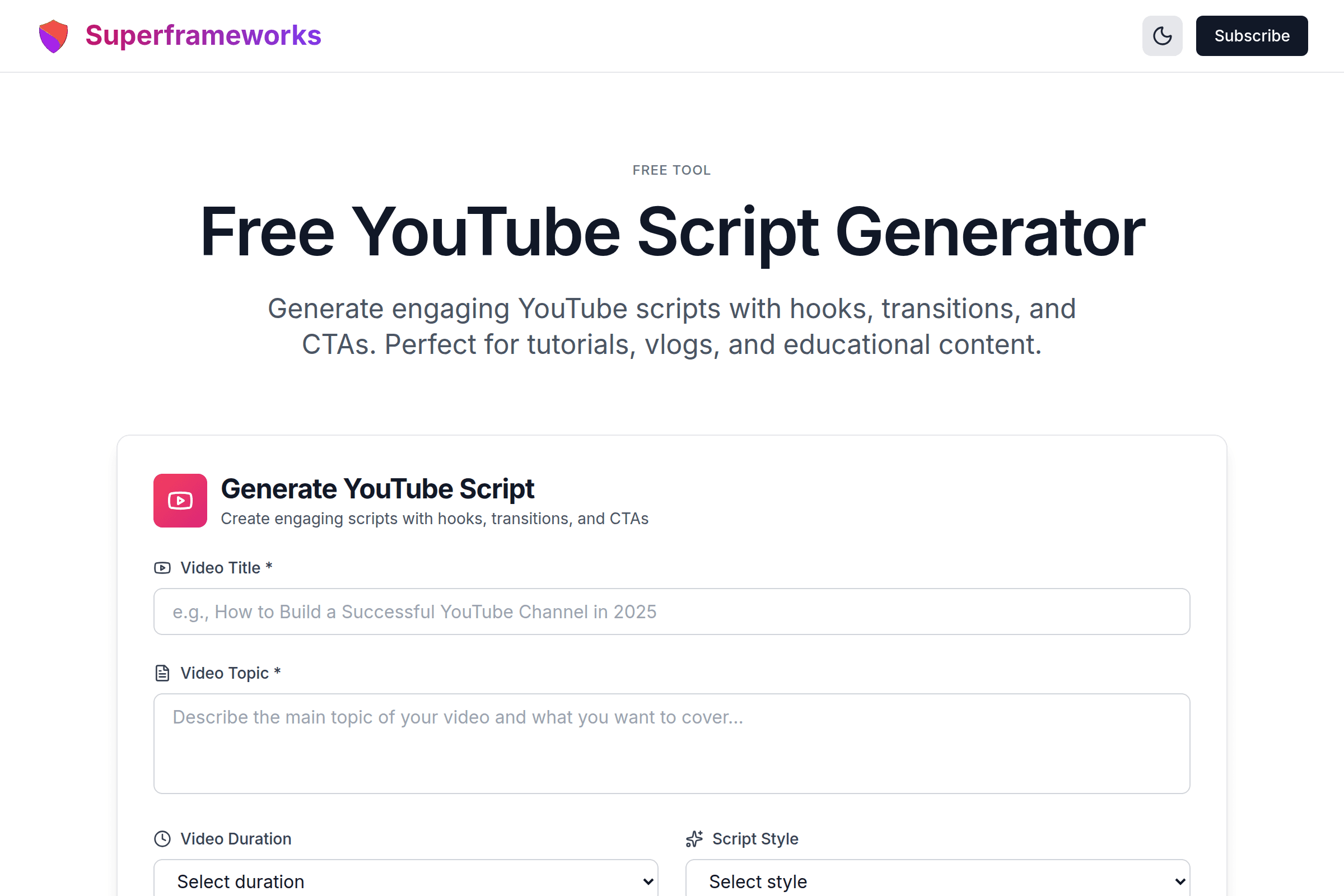
Free YouTube Script Generator
Generate engaging YouTube scripts with hooks, transitions, and CTAs. Perfect for tutorials, vlogs, and educational content.
Generate YouTube Script
Create engaging scripts with hooks, transitions, and CTAs
Strong Hooks
Scripts with attention-grabbing openings that keep viewers watching.
Natural Flow
Smooth transitions and logical progression that feels conversational.
Engaging CTAs
Strategic calls-to-action that boost likes, comments, and subscriptions.
What You'll Get From Our Script Generator
Attention-Grabbing Hooks
Powerful openings that stop viewers from scrolling and keep them watching past the first 15 seconds.
Structured Content Flow
Well-organized scripts with clear sections, smooth transitions, and logical progression.
Strategic CTAs
Naturally placed calls-to-action that drive likes, subscriptions, and comments without being pushy.
Conversational Tone
Scripts written for natural delivery that sound authentic, not robotic or overly scripted.
B-Roll Suggestions
Notes on where to add visual elements, graphics, and B-roll footage for professional production.
Timing & Pacing
Word count estimates and pacing notes to match your target video duration perfectly.
Example YouTube Scripts
See how our AI creates engaging, well-structured scripts for different video types and styles.
Step-by-Step Tutorial Script
Clear instructions with strong hook, organized steps, visual cues for screen recordings, and strategic CTA placement.
Personal Story Vlog Script
Narrative arc with emotional hooks, personal anecdotes, relatable moments, and natural conversation flow.
Educational Deep Dive Script
In-depth explanation with expert insights, examples, analogies, and recap sections for complex topics.
How It Works
Describe Your Video
Enter your title, topic, duration, style, target audience, and key points to cover.
AI Analyzes Context
Our AI considers your style, audience, and content to create a tailored script structure.
Get Complete Script
Receive a full script with hook, main content, transitions, CTAs, and production notes.
Customize & Film
Adjust the script to your voice, then use it as your guide during filming.
Tips for Creating Engaging YouTube Scripts
Hook Viewers in 15 Seconds
Your first 15 seconds determine if viewers stay or leave. Start with a bold statement, question, or tease of what's coming.
Write for Speaking, Not Reading
Use contractions, short sentences, and conversational language. Your script should sound natural when spoken aloud.
Build Retention Tactics
Create curiosity gaps, tease interesting content coming later, and use pattern interrupts to maintain attention.
Match Your Target Duration
Average speaking pace is 130-150 words per minute. A 10-minute video needs about 1,300-1,500 words of script.
Include Visual Cues
Note where to add B-roll, graphics, or text overlays. Visual variety keeps viewers engaged and improves retention.
Use Strategic Pauses
Don't overwrite your script. Leave room for natural pauses, reactions, and emphasis. Allow content to breathe.
Place CTAs Naturally
Position calls-to-action at natural breakpoints. Ask for likes after providing value, not in the first 10 seconds.
End With Impact
Recap key takeaways, deliver final value, and guide viewers to your next video. Strong endings improve session time.
Perfect for Every Video Creator
Whether you're creating tutorials, vlogs, or educational content, our script generator helps you create engaging videos.
Tutorial Creators
Create clear, step-by-step scripts that make complex topics easy to follow and understand.
- Organize technical content
- Include helpful examples
- Add screen recording cues
Vloggers
Structure your day-in-the-life content with engaging narratives that keep viewers watching.
- Tell compelling stories
- Maintain authentic voice
- Build viewer connection
Educators
Develop educational content that simplifies complex subjects and maximizes learning outcomes.
- Break down complex topics
- Use clear explanations
- Engage student viewers
Get More Video Creation Tips
Join our newsletter for weekly insights on scriptwriting, video production, and growing your YouTube channel.
Why Use Our YouTube Script Generator?
Eliminate Writer's Block Forever
Staring at a blank page wondering what to say is frustrating and time-consuming. Many creators spend hours struggling with script structure, hooks, and transitions. Our AI script generator gives you a complete, professional script in seconds, eliminating the anxiety of starting from scratch. You get a solid foundation to build on, not a blank page to fill.
Create Better Videos Faster
A well-structured script is the foundation of a great video. Without a script, you'll fumble, repeat yourself, forget key points, and need multiple takes. Our generator creates scripts with proven structures: attention-grabbing hooks, logical content flow, smooth transitions, and strategic CTAs. You'll film faster, edit less, and produce higher quality content consistently.
Learn Professional Scriptwriting Techniques
Each generated script demonstrates professional scriptwriting principles: pattern interrupts, retention tactics, pacing strategies, and psychological triggers. By using and studying these scripts, you'll develop an intuition for what makes content engaging. Over time, you'll become a better scriptwriter yourself, understanding why certain structures and phrases work.
Maintain Consistency Across Videos
Great YouTube channels have consistent quality and structure. Viewers know what to expect. Our script generator ensures every video has professional quality hooks, clear structure, and strategic engagement elements. No more hit-or-miss content quality - every video follows proven patterns while allowing your unique personality to shine through.
Frequently Asked Questions
How does the YouTube script generator work?
Enter your video title, topic, duration, style, and key points. Our AI analyzes your input and generates a complete script with hook, main content, transitions, CTAs, and production notes tailored to your specifications.
Should I follow the script exactly?
No! Use the script as a guide and foundation. Adapt it to your natural speaking style, add your personality, and improvise where it feels right. The script provides structure, but your authentic voice makes it engaging.
How long should a YouTube video script be?
Average speaking pace is 130-150 words per minute. For a 10-minute video, aim for 1,300-1,500 words. However, leave room for pauses, B-roll, and natural delivery variations. Don't overwrite - scripts should guide, not constrain.
What makes a good YouTube hook?
Great hooks stop scrolling in the first 3 seconds and retain viewers past 15 seconds. Use bold statements, questions, pattern interrupts, shocking facts, or tease the best part. Promise clear value and create curiosity without being misleading.
Should I use a teleprompter?
It depends on your style. Some creators prefer teleprompters for precision, while others find them make delivery feel robotic. Try both approaches - you might read key transitions and CTAs verbatim while improvising examples and stories.
Where should I place CTAs in my script?
Place your first CTA around the 30% mark after providing value. Add a mid-roll CTA when transitioning between sections. End with a strong final CTA. Don't ask for likes/subscribes before giving viewers a reason to care.
How do I keep viewers watching?
Use retention tactics: create open loops (questions answered later), tease interesting content coming up, vary your pacing, add visual variety, include surprises, and build anticipation. Never let viewers get bored or confused.
Can I use the same script structure for every video?
While certain structures work well (hook, intro, main content, conclusion), vary your approach to keep content fresh. Different video types and topics require different structures. Tutorials need step-by-step organization, while vlogs benefit from narrative arcs.
What's the difference between educational and entertainment scripts?
Educational scripts prioritize clear explanations, step-by-step instructions, and actionable takeaways. Entertainment scripts focus on storytelling, emotional moments, personality, and engaging pacing. Many successful videos blend both approaches.
Is this YouTube script generator free?
Yes! Our YouTube script generator is completely free to use with unlimited generations. Create as many scripts as you need for all your videos. We built this tool to help creators produce better content and grow their channels.
See the YouTube Script Generator in action
Explore Related Tools
Discover more tools to help you build and grow your business
YouTube Title Generator
Generate click-worthy YouTube titles that boost views and engagement with AI-powered optimization.
YouTube Description Generator
Generate SEO-optimized YouTube descriptions with timestamps, CTAs, and keywords.
Business Ideas Generator
Generate profitable business ideas tailored to your interests, skills, and market trends.
Business Plan Generator
Create comprehensive business plans with market analysis, financial projections, and growth strategies.