Free Tool
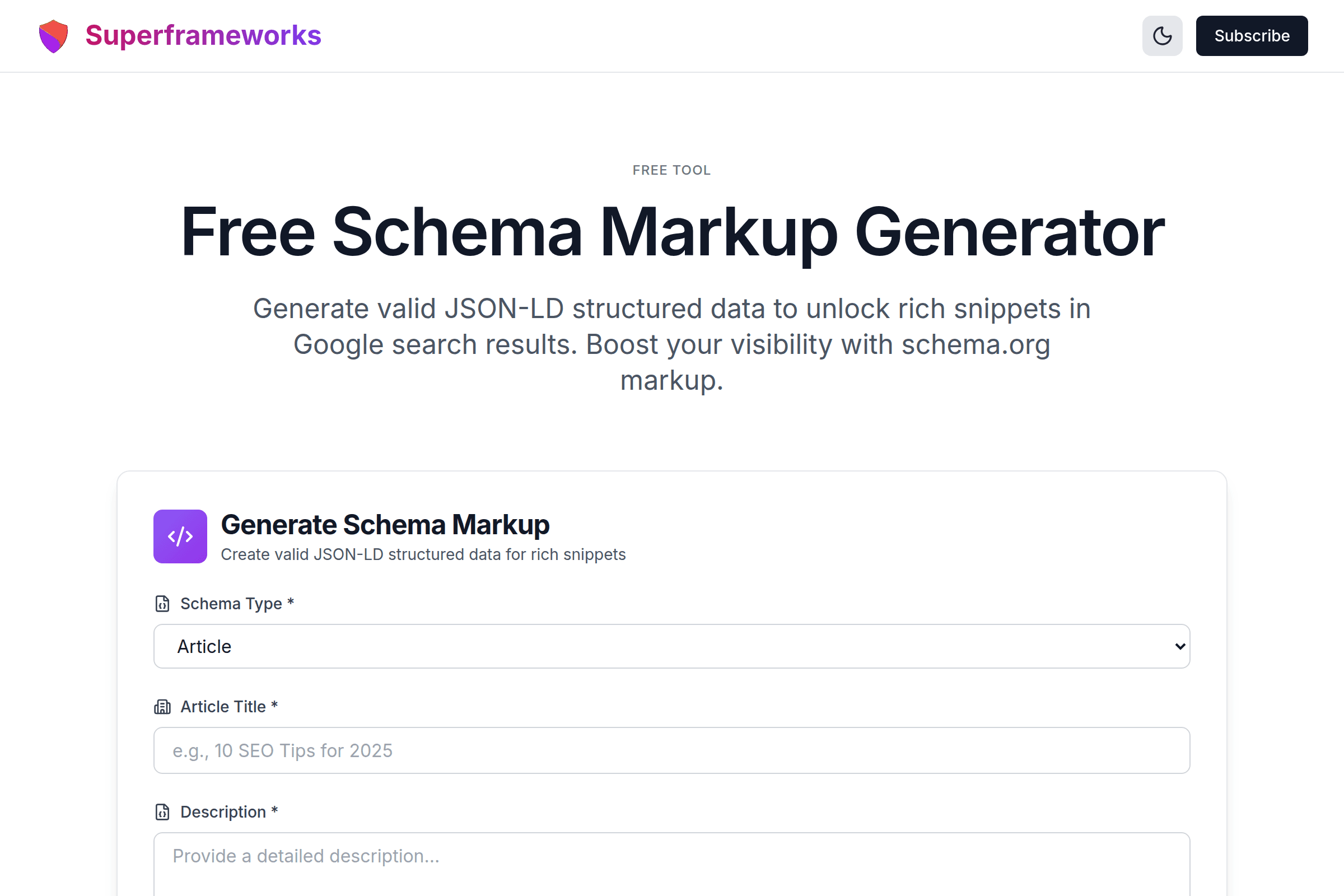
Free Schema Markup Generator
Generate valid JSON-LD structured data to unlock rich snippets in Google search results. Boost your visibility with schema.org markup.
Generate Schema Markup
Create valid JSON-LD structured data for rich snippets
Valid JSON-LD
Every schema is properly formatted and ready to pass Google's Rich Results Test.
Rich Snippets
Unlock enhanced search results with ratings, prices, FAQs, and more visual elements.
Schema.org Compliant
All markup follows schema.org specifications and Google's structured data guidelines.
What You'll Get From Our Schema Markup Generator
Valid JSON-LD Code
Properly formatted JSON-LD structured data that passes Google's Rich Results Test and follows schema.org specifications.
Multiple Schema Types
Support for Article, Product, FAQ, LocalBusiness, Organization, Event, Recipe, HowTo, and many more schema types.
Rich Snippets Ready
Schema markup designed to trigger rich snippets, knowledge panels, and enhanced search results in Google.
Best Practices Included
Every schema includes required and recommended properties following Google's structured data guidelines.
Copy-Paste Ready
One-click copy functionality to easily add the generated schema to your website's HTML head section.
AI-Powered Generation
Advanced AI analyzes your content to create comprehensive, contextually relevant structured data markup.
Example Schema Markup Outputs
See examples of valid JSON-LD structured data our generator creates for different content types.
{
  "@context": "https://schema.org",
  "@type": "Article",
  "headline": "10 SEO Tips for 2025",
  "author": {
    "@type": "Person",
    "name": "John Smith"
  },
  "datePublished": "2025-01-15",
  "image": "https://example.com/image.jpg"
}
Article schema enables rich results with headline, author, and publish date in search results.
{
  "@context": "https://schema.org",
  "@type": "Product",
  "name": "Wireless Headphones",
  "offers": {
    "@type": "Offer",
    "price": "99.99",
    "priceCurrency": "USD"
  },
  "aggregateRating": {
    "@type": "AggregateRating",
    "ratingValue": "4.5"
  }
}
Product schema shows price, availability, and ratings directly in Google search results.
{
  "@context": "https://schema.org",
  "@type": "FAQPage",
  "mainEntity": [{
    "@type": "Question",
    "name": "What is schema markup?",
    "acceptedAnswer": {
      "@type": "Answer",
      "text": "Schema markup is..."
    }
  }]
}
FAQ schema displays expandable questions and answers directly in search results.
{
  "@context": "https://schema.org",
  "@type": "LocalBusiness",
  "name": "Joe's Coffee Shop",
  "address": {
    "@type": "PostalAddress",
    "streetAddress": "123 Main St",
    "addressLocality": "New York"
  },
  "telephone": "+1-555-123-4567"
}
LocalBusiness schema powers knowledge panels and local pack results for businesses.
How It Works
Choose Schema Type
Select the type of structured data that matches your content: Article, Product, FAQ, LocalBusiness, and more.
Enter Your Details
Provide your business name, description, URL, and type-specific information for the schema.
AI Generates Schema
Our AI creates valid JSON-LD markup with all required and recommended properties.
Copy to Your Site
Copy the generated code and paste it into your website's HTML head section or via Google Tag Manager.
Tips for Effective Schema Markup
Use the Most Specific Type
Choose the most specific schema type available. For a restaurant, use Restaurant instead of LocalBusiness for better rich results.
Include All Required Properties
Google requires certain properties for each schema type. Missing required fields means no rich results eligibility.
Keep Data Accurate and Updated
Schema data must match your visible page content. Misleading markup violates Google's guidelines and risks penalties.
Test Before Deploying
Always validate your schema using Google's Rich Results Test tool to ensure it's error-free and eligible for rich snippets.
Use JSON-LD Format
Google recommends JSON-LD over Microdata or RDFa. It's easier to implement and doesn't require changing your HTML structure.
Add Recommended Properties
Beyond required fields, include recommended properties to maximize your chances of earning enhanced search features.
Implement on Every Relevant Page
Don't just add schema to your homepage. Product pages, articles, FAQ pages, and contact pages all benefit from structured data.
Monitor in Search Console
Use Google Search Console's Enhancements reports to track your structured data performance and fix any errors.
Perfect for Every Website Type
Whether you're running an e-commerce store, blog, or local business, schema markup helps you stand out in search results.
SEO Professionals
Implement structured data at scale for client websites and improve their search visibility with rich results.
- Generate schema for multiple pages quickly
- Ensure valid JSON-LD every time
- Win more rich snippets for clients
E-commerce Stores
Display prices, ratings, and availability directly in Google search results to attract more shoppers.
- Product schema with pricing and stock
- Star ratings in search results
- Increase click-through rates
Content Publishers
Get your articles featured in Google News, Top Stories, and enhanced search results with Article schema.
- Article and BlogPosting schema
- FAQ schema for informational content
- HowTo schema for tutorials
Get More Technical SEO Tips
Join our newsletter for weekly insights on structured data, technical SEO, and ranking higher in search results.
Why Use Our Free Schema Markup Generator?
Schema Markup is Essential for Modern SEO
Structured data has become a critical ranking factor in 2025. Google uses schema markup to better understand your content and display rich results that dramatically improve click-through rates. Websites with proper schema implementation can see 20-30% higher CTR from search results compared to standard blue links. Our generator makes it easy to create valid JSON-LD markup without any coding knowledge.
No Technical Expertise Required
Schema markup can be intimidating with its nested objects, specific property requirements, and strict JSON syntax. Our AI-powered generator handles all the complexity for you. Simply fill in your business details and the tool creates perfectly valid, Google-compliant structured data. No need to memorize schema.org documentation or worry about missing required properties.
Support for All Major Schema Types
Whether you need Article schema for blog posts, Product schema for e-commerce, FAQ schema for support pages, LocalBusiness for brick-and-mortar stores, or any other type, our generator has you covered. We support over 12 of the most commonly used schema types that trigger rich results in Google, ensuring your website can take full advantage of enhanced search features regardless of your industry or content type.
Tested and Validated Output
Every schema markup our generator produces follows Google's structured data guidelines and includes all required and recommended properties. The JSON-LD output is properly formatted and ready to pass Google's Rich Results Test. Simply copy the generated code, paste it into your website's head section, and start benefiting from enhanced search visibility. We update our generator regularly to stay current with Google's latest requirements.
Frequently Asked Questions
What is schema markup and JSON-LD?
Schema markup is a type of structured data that helps search engines understand your content better. JSON-LD (JavaScript Object Notation for Linked Data) is the recommended format for implementing schema. It's a script you add to your page's HTML that describes your content in a machine-readable way.
How does schema markup help SEO?
Schema markup enables rich snippets in search results - enhanced listings that show star ratings, prices, FAQs, and other eye-catching information. These rich results have significantly higher click-through rates than standard listings, driving more organic traffic to your website.
Which schema types does this generator support?
Our generator supports Article, Product, FAQ, LocalBusiness, Organization, Person, Event, Recipe, HowTo, Review, VideoObject, and BreadcrumbList schema types. These cover the most common use cases and the schema types most likely to trigger rich results in Google.
Where do I add the generated schema code?
Add the JSON-LD script to the <head> section of your HTML page. You can also add it to the body, but the head is preferred. If you use a CMS like WordPress, you can use plugins like Yoast SEO or add the code via a custom header script option. Google Tag Manager also supports adding JSON-LD.
How do I test if my schema markup is valid?
Use Google's Rich Results Test (search.google.com/test/rich-results) to validate your schema. It shows any errors or warnings and previews how your rich snippet will appear. You can also use the Schema Markup Validator at validator.schema.org for general validation.
Will adding schema guarantee rich snippets?
No, adding valid schema markup makes your content eligible for rich results, but Google doesn't guarantee they will be displayed. Google decides when and whether to show rich snippets based on various factors including the quality of your content, user behavior, and search query context.
Can I use multiple schema types on one page?
Yes! You can have multiple schema types on a single page. For example, an article page might have Article schema for the content, Organization schema for your company, and BreadcrumbList for navigation. Just include each schema in its own script tag or combine them in a @graph array.
What's the difference between JSON-LD and Microdata?
JSON-LD is added as a separate script in your HTML, while Microdata requires adding attributes directly to your HTML elements. Google recommends JSON-LD because it's easier to implement, maintain, and doesn't require modifying your page structure. Our generator produces JSON-LD format.
How often should I update my schema markup?
Update your schema whenever the information changes - new prices, updated business hours, revised content, etc. For dynamic data like product prices and availability, consider implementing schema dynamically through your backend or e-commerce platform to keep it automatically synchronized with your content.
Is this schema markup generator really free?
Yes! Our schema markup generator is completely free to use with no hidden costs, subscriptions, or usage limits. Generate as much schema as you need for your websites. We provide this tool as a free resource to help website owners and SEO professionals implement structured data correctly.
See the Schema Markup Generator in action
Explore Related Tools
Discover more tools to help you build and grow your business
Domain Rating (DR) Checker
Check any website's Ahrefs Domain Rating (DR) for free. See backlink authority on a 0–100 scale and compare competitors.
Open Graph Generator
Generate Open Graph and Twitter Card meta tags for better social media sharing and engagement.
Alt Text Generator
Generate accessible, SEO-optimized alt text for images to improve accessibility and search rankings.
Robots.txt Generator
Generate optimized robots.txt files to control search engine crawlers and protect sensitive directories.