Free Tool
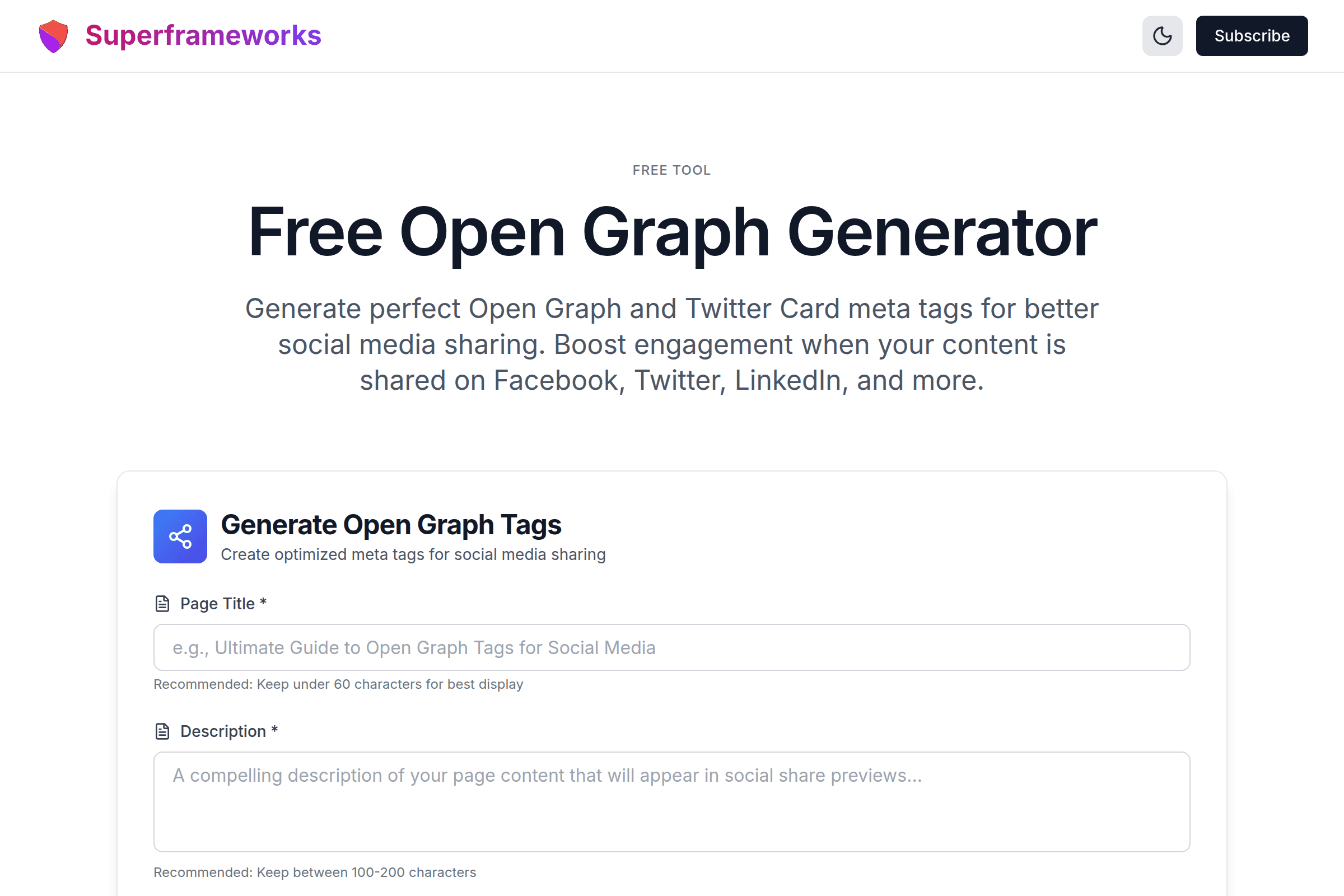
Free Open Graph Generator
Generate perfect Open Graph and Twitter Card meta tags for better social media sharing. Boost engagement when your content is shared on Facebook, Twitter, LinkedIn, and more.
Generate Open Graph Tags
Create optimized meta tags for social media sharing
Platform Optimized
Tags optimized for Facebook, Twitter, LinkedIn, and other social platforms.
Live Preview
See how your content will appear when shared on social media.
Copy Ready
Generated HTML code ready to paste into your website's head section.
What You'll Get From Our Open Graph Generator
Complete OG Tag Set
Generate all essential Open Graph meta tags including og:title, og:description, og:image, og:url, og:type, and og:site_name.
Twitter Card Tags
Get optimized Twitter Card meta tags for summary, summary_large_image, and player card types with proper formatting.
Facebook Optimized
Tags optimized for Facebook's sharing algorithm with proper character limits and image dimension recommendations.
Image Best Practices
Guidance on optimal image dimensions (1200x630px) and formats for maximum visual impact across all social platforms.
LinkedIn Ready
Tags that work perfectly on LinkedIn for professional content sharing with proper title and description formatting.
Live Preview
See how your content will appear when shared on social media with our built-in preview card visualization.
Example Open Graph Tags Generated by AI
See the quality and structure of Open Graph meta tags our AI creates for different content types and platforms.
Homepage / Landing Page
<meta property="og:type" content="website" />
<meta property="og:title" content="..." />
Perfect for company homepages, SaaS landing pages, and general websites.
Blog Post / Article
<meta property="og:type" content="article" />
<meta property="article:author" ... />
Optimized for blog posts with article-specific metadata and author attribution.
Large Image Card
<meta name="twitter:card" content="summary_large_image" />
<meta name="twitter:site" ... />
Eye-catching large image cards that maximize engagement on Twitter/X.
How It Works
Enter Page Details
Provide your page title, description, URL, and optional image URL for your content.
Select Content Type
Choose between website, article, product, video, or profile to optimize tags accordingly.
AI Generates Tags
Our AI creates optimized Open Graph and Twitter Card meta tags following best practices.
Copy & Implement
Copy the generated HTML meta tags and add them to your page's <head> section.
Tips for Open Graph Tags
Use High-Quality Images
Use images at least 1200x630 pixels for optimal display. Facebook and LinkedIn prefer 1.91:1 aspect ratio for best results.
Keep Titles Under 60 Characters
og:title should be concise and compelling. Longer titles get truncated on most social platforms, reducing impact.
Write Descriptions Under 200 Characters
og:description should summarize your content effectively. Keep it between 100-200 characters for full visibility.
Always Include og:url
Use the canonical URL for og:url to prevent duplicate content issues and ensure proper attribution when shared.
Include Twitter Card Tags
While Twitter can fall back to OG tags, specific Twitter Card meta tags provide better control over your Twitter presence.
Use Absolute URLs for Images
Always use full URLs (https://...) for og:image. Relative paths won't work when your content is shared.
Test Before Publishing
Use Facebook's Sharing Debugger and Twitter's Card Validator to test how your tags appear before launching.
Include Site Name
og:site_name helps build brand recognition and shows users where the content originates from.
Perfect for Every Digital Professional
Whether you're managing social media, building websites, or creating content, our Open Graph generator helps improve your social sharing.
Content Marketers
Maximize the impact of your content when it's shared across social platforms with optimized preview cards.
- Increase social engagement
- Drive more traffic from shares
- Build brand consistency
Social Media Managers
Ensure every link you share looks professional and compelling across Facebook, Twitter, and LinkedIn.
- Professional share previews
- Boost click-through rates
- Cross-platform optimization
Web Developers
Quickly generate proper OG and Twitter Card markup for any project without memorizing tag specifications.
- Copy-ready HTML code
- Best practice compliance
- Save development time
Get More SEO & Social Media Tips
Join our newsletter for weekly insights on social media optimization, SEO, and growing your online presence.
Why Use Our Free Open Graph Generator?
Control How Your Content Appears on Social Media
When someone shares your page on Facebook, Twitter, LinkedIn, or other social platforms, Open Graph tags determine what title, description, and image appear in the share preview. Without proper OG tags, social platforms will guess what to display, often pulling in random images or truncated text. With optimized Open Graph tags, you control the narrative and ensure your content looks professional every time it's shared.
Increase Click-Through Rates from Social Shares
A well-crafted social share preview can dramatically increase the likelihood that someone will click through to your content. Research shows that posts with optimized images and compelling titles receive significantly more engagement than those with generic or missing previews. Our generator creates tags that maximize visual impact and encourage clicks, turning every share into a potential traffic source.
Build Consistent Brand Presence Across Platforms
By including og:site_name and consistent branding in your OG tags, you reinforce your brand identity every time your content is shared. This consistency builds trust and recognition with your audience. Whether someone sees your content on Facebook, Twitter, LinkedIn, or messaging apps, they'll immediately recognize it as coming from your brand, strengthening your overall digital presence.
Save Time with AI-Powered Generation
Instead of manually writing and formatting Open Graph and Twitter Card tags for every page, our AI-powered generator does the work in seconds. Simply enter your page details, and get perfectly formatted HTML meta tags ready to copy and paste into your website. Whether you're managing one page or hundreds, our tool scales with your needs while ensuring every page has optimized social sharing tags.
How This Compares to Other Free Open Graph Tag Generators
Most free OG tag generator tools produce broadly similar markup — the differences that actually matter show up in five places. Here is what to check before you pick one, and what this tool does in each case.
Does it show a live preview, or just spit out code?
Plenty of free generators return a block of meta tags and leave you to imagine the result. This one renders a social share preview card as you type, so you can see a truncated title or a missing image before you ship the tags rather than after someone shares the link.
Are Twitter Cards a real output or an afterthought?
Some tools emit Open Graph only and rely on X/Twitter falling back to it. This one generates a separate Twitter Card block, and lets you pick the card type (summary, summary_large_image, or player) and attach a @handle — the parts the OG fallback cannot give you.
Can it do more than og:type="website"?
A lot of quick generators hardcode website, which is wrong for a blog post or a product page. This one supports website, article, product, video, and profile, so the tags actually describe the page you are marking up.
How granular is the copy step?
If your framework already handles Open Graph but not Twitter Cards, you do not want one merged blob. You can copy the OG block, the Twitter block, or both together.
What does it cost you to use it?
"Free" varies. This tool has no signup, no account, no usage limit, and no watermark on the output — generate tags for as many pages as you need.
What no Open Graph generator can do for you
Worth knowing before you compare tools, because none of them solve these: a generator cannot host your og:image (it needs a public, absolute URL), it cannot clear Facebook's cache after you change a tag (that is the Sharing Debugger's job), and it cannot make a crawler see tags injected client-side — Open Graph tags have to be in the server-rendered <head>. Any tool promising otherwise is overselling.
Frequently Asked Questions
What are Open Graph meta tags?
Open Graph meta tags are HTML elements that control how your web pages appear when shared on social media platforms like Facebook, LinkedIn, and messaging apps. They define the title, description, image, and URL that appear in the share preview card, giving you control over how your content is presented to potential visitors.
What's the difference between Open Graph and Twitter Cards?
Open Graph was created by Facebook and is used by most social platforms. Twitter Cards are Twitter's own markup format with additional features specific to Twitter/X. While Twitter can fall back to OG tags, using dedicated Twitter Card tags gives you more control over how your content appears on Twitter, including card type selection.
What size should my og:image be?
The recommended size for og:image is 1200x630 pixels (1.91:1 aspect ratio). This size works well across Facebook, LinkedIn, and Twitter. For Twitter's summary_large_image card, you can also use 1200x675 or 1024x512. Always use high-quality images under 8MB in size.
Do I need both Open Graph and Twitter Card tags?
While Twitter can use OG tags as a fallback, we recommend including both. Twitter Card tags give you more control over your Twitter appearance, including the ability to specify card types like summary, summary_large_image, or player. Having both ensures optimal display across all platforms.
Where do I put Open Graph tags in my HTML?
Open Graph and Twitter Card meta tags should be placed in the <head> section of your HTML document. They should appear before the closing </head> tag. If you're using a CMS like WordPress, there are plugins that can add these tags automatically, or you can add them through theme template files.
How can I test my Open Graph tags?
Use Facebook's Sharing Debugger (developers.facebook.com/tools/debug) to test your OG tags and clear Facebook's cache. For Twitter, use the Twitter Card Validator (cards-dev.twitter.com/validator). LinkedIn has a Post Inspector tool as well. These tools show you exactly how your content will appear when shared.
What og:type should I use?
The most common og:type values are "website" for homepages and general pages, "article" for blog posts and news articles, and "product" for e-commerce product pages. Choose the type that best describes your content to help social platforms understand and categorize your page correctly.
Do Open Graph tags affect SEO?
Open Graph tags don't directly impact search engine rankings. However, they indirectly benefit SEO by increasing social engagement and traffic. When your content gets more shares and clicks from social media, it signals quality to search engines and can drive more backlinks, which do impact rankings.
Can I use different titles for SEO and social sharing?
Yes! Your og:title and your HTML title tag can be different. This allows you to optimize your title tag for SEO while crafting a more engaging og:title for social sharing. Many marketers use this strategy to maximize both search visibility and social engagement with tailored messaging for each channel.
How do I choose between free Open Graph tag generator tools?
The markup itself is a solved problem, so compare on five things: whether it renders a live share preview or only outputs code; whether it generates real Twitter Card tags (with card type and handle) rather than relying on the Open Graph fallback; whether it supports og:type values beyond "website"; whether you can copy the OG and Twitter blocks separately; and what "free" actually means — signup, usage caps, or neither. Test the output of any generator you pick with Facebook's Sharing Debugger before you trust it.
Is this Open Graph generator really free?
Yes! Our Open Graph generator is completely free to use with no hidden costs, subscriptions, or usage limits. Generate as many sets of OG and Twitter Card tags as you need for your websites. We provide this tool as a free resource for marketers, developers, and content creators.
See the Open Graph Generator in action
Explore Related Tools
Discover more tools to help you build and grow your business
Domain Rating (DR) Checker
Check any website's Ahrefs Domain Rating (DR) for free. See backlink authority on a 0–100 scale and compare competitors.
Schema Markup Generator
Generate JSON-LD structured data for rich snippets and better search visibility with schema.org markup.
Alt Text Generator
Generate accessible, SEO-optimized alt text for images to improve accessibility and search rankings.
Robots.txt Generator
Generate optimized robots.txt files to control search engine crawlers and protect sensitive directories.