
10 Best Apple HomeView App Ideas to Build for Apple’s New Smart Display
Apple just launched HomeView, its first smart display. These 10 app ideas use its shared screen, face recognition, Siri AI, and home hub to build what a phone cannot.
Key Takeaways
- HomeView is a shared, always-on screen that recognizes up to six faces, so the winning products serve a household rather than a single user.
- There is no HomeView App Store or SDK on day one. Third-party reach runs through CarPlay media apps, iPhone widgets and Live Activities, Siri App Intents, and HomeKit and Matter accessories.
- The fastest wins pair a HomeView-native moment with a companion that already works on iPhone: the shared screen is the hook, the phone remains the business.
- Apple’s new Home Collection — cameras, thermostats, and a lock — plus the built-in nine-feed Camera face create hardware-adjacent openings in security, energy, and care.
- Do not ship a square phone app. Build for the moment a screen in the kitchen replaces a reach for a phone, and make that moment legible from across the room.
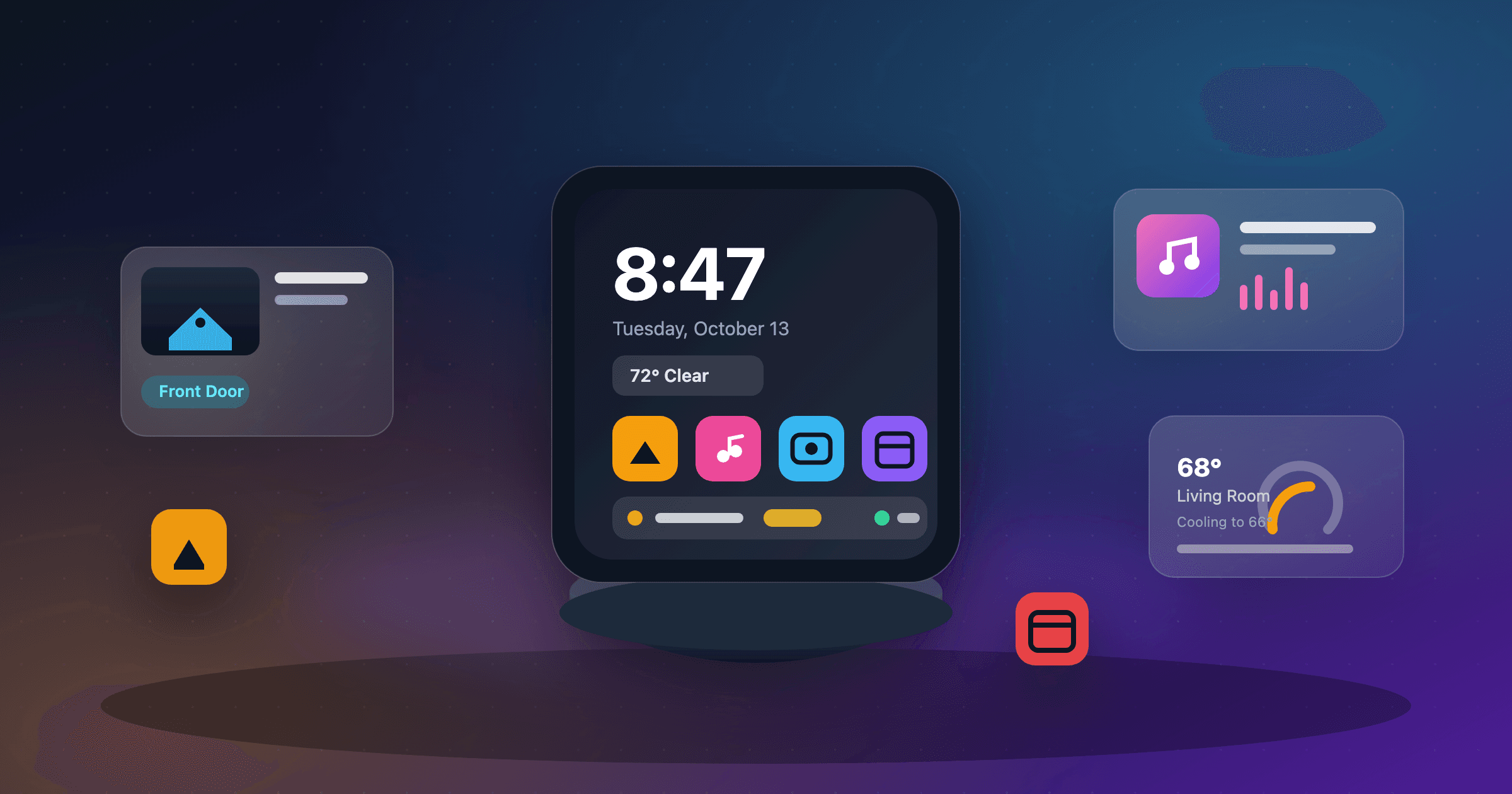
Apple launched Apple HomeView yesterday. It is the company’s first smart display: a 7-inch square screen on a domed speaker base, a separate wall-mounted twin, both $299, running Siri AI on an A18 chip and recognizing up to six people by face. It ships November 13.
The obvious read is “Apple finally answered the Echo Show.” The more useful one for a builder is narrower. HomeView is the first Apple screen designed to be shared — mounted in a kitchen, an entryway, or a hallway — and it is the first one whose app model is deliberately thin. There is no App Store on the device. That constraint, not the display, is where the opportunity lives.
The developers who win the first wave will not ship a stretched phone app. They will pick a moment that becomes dramatically better when a screen the whole household can see replaces a reach for a pocket, and then reach that screen through the narrow set of surfaces Apple actually opened.
What the Apple HomeView Actually Unlocks
7″
Square display
$299
Starting price
6
Face-recognized users
9
Camera feeds at once
Start with the hardware, because it shapes what a good app feels like. The display is square — 1088 by 1088 pixels — and it adapts twice: brightness runs from 500 nits for a sunlit kitchen down to 0.3 nits for a nightstand, and the interface gets simpler from across the room and richer as you step closer. Four far-field microphones make voice the primary input, and a 12MP Center Stage camera does double duty for FaceTime and face recognition.
Now the software, because it shapes what you can actually ship. On launch day Apple published no HomeView SDK, simulator, Human Interface Guidelines section, or design kit. Third-party reach runs through surfaces that already exist on the paired iPhone: CarPlay audio and video apps (which Apple says run on HomeView with no changes), an iOS app’s widgets, Live Activities, Siri App Intents, and HomeKit and Matter accessories. Apple’s developer pages still do not list HomeView as a platform for HomeKit, Matter, or EnergyKit.
That gap is the whole game. A HomeView “app” today is really a companion that borrows the screen. The ideas below are ranked by how well they use that borrowed surface, how much a household will pay, and how quickly a focused team can prove the moment.
A shared screen
One device, up to six recognized faces, and a personalized Home Screen for each person.
Ambient by design
500 nits across the kitchen down to 0.3 nits at night, with distance-aware layouts.
Living-room voice
Four far-field microphones and Siri AI that borrows personal context from a paired iPhone.
A home hub
Thread and Matter, plus the new Home Collection, put cameras, thermostats, and locks on one screen.
The 10 Best Apple HomeView App Ideas
Ranked by HomeView-native advantage, willingness to pay, speed to a focused MVP, and the chance to remain useful once the launch-day novelty fades.
| # | Idea | HomeView edge | Build | Business model |
|---|---|---|---|---|
| 1 | FamBoard | 9/10 | Easy–Medium | $6–$10/month per household |
| 2 | CareCall | 9/10 | Medium | $12–$20/month per household |
| 3 | RoomTone | 8/10 | Medium | Free with $6–$9/month premium |
| 4 | Hearth | 8/10 | Medium–Hard | $8–$15/month or bundled with hardware |
| 5 | WatchTower | 8/10 | Hard | $15–$29/month per property |
| 6 | SnapChef | 7/10 | Easy–Medium | $5–$8/month |
| 7 | ChoreWars | 7/10 | Easy–Medium | $4–$7/month per family |
| 8 | GuestMode | 8/10 | Medium–Hard | $20–$49/month per property |
| 9 | TeachIt | 7/10 | Medium | $10–$20/month per family |
| 10 | HomeHealth Board | 7/10 | Hard | $9–$15/month per family |
#1 Apple HomeView app idea
FamBoard: The family command center that finally replaces the fridge whiteboard
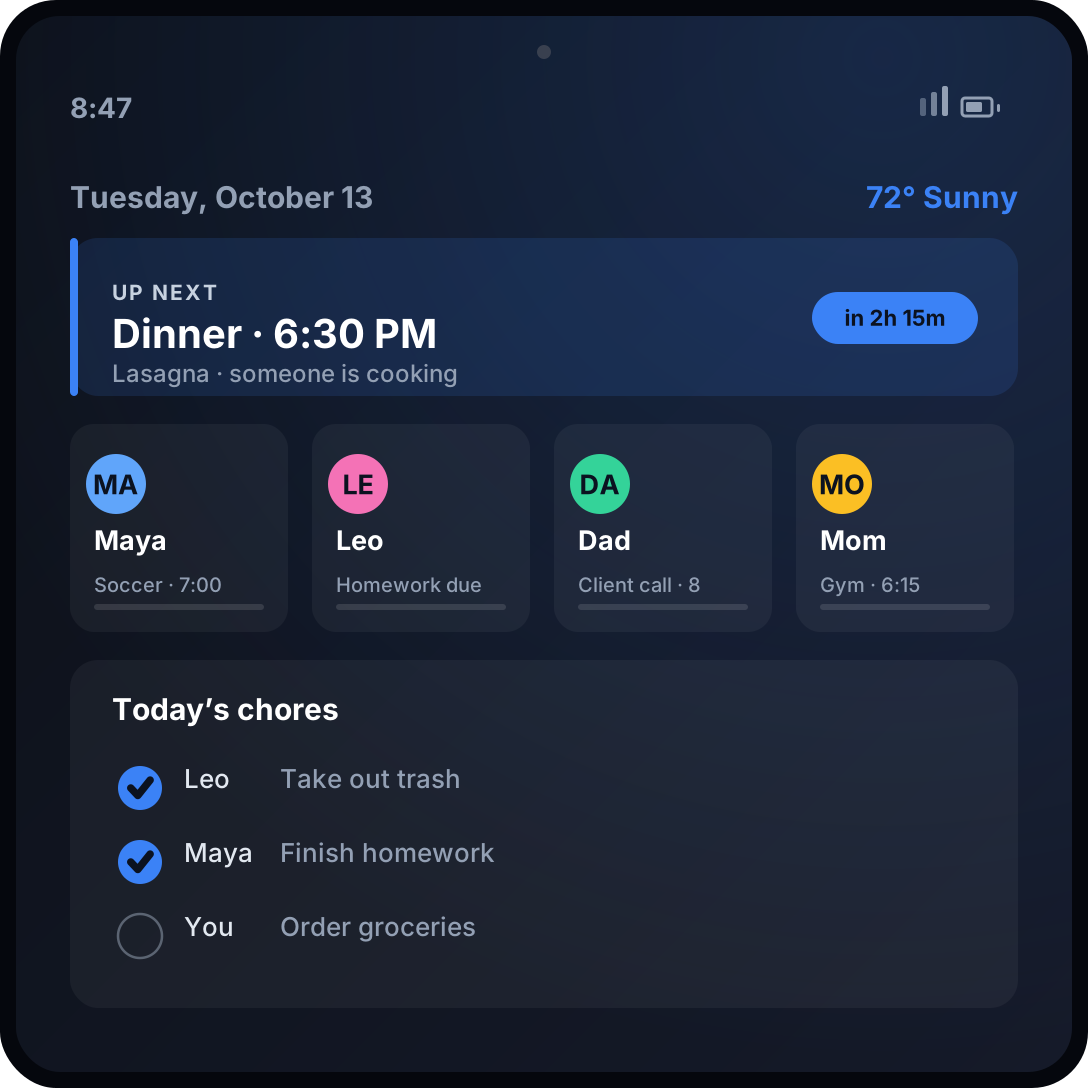
HomeView already knows who is standing in front of it. FamBoard turns that into a shared board: when a parent’s face is recognized, the screen leads with tonight’s dinner, the next pickup, and who is running late; when a child walks up, it shows homework and chores. From across the room it is a glanceable “what’s next”; up close it is editable.
The wedge
Target the 5-to-9 chaos window in dual-income families with school-age kids — where the calendar, the school app, the group text, and the whiteboard all fight for the same counter space — instead of competing with every calendar app on the App Store.
Ship this MVP
Two calendar syncs, a “next up” face, per-person views, a shared grocery and chore list, countdowns, and a weekly digest. Kids need no account; they appear through the household’s enrolled faces.
Monetization
$6–$10/month per household
Build difficulty: Easy–Medium
#2 Apple HomeView app idea
CareCall: An always-on presence link for the people you look after
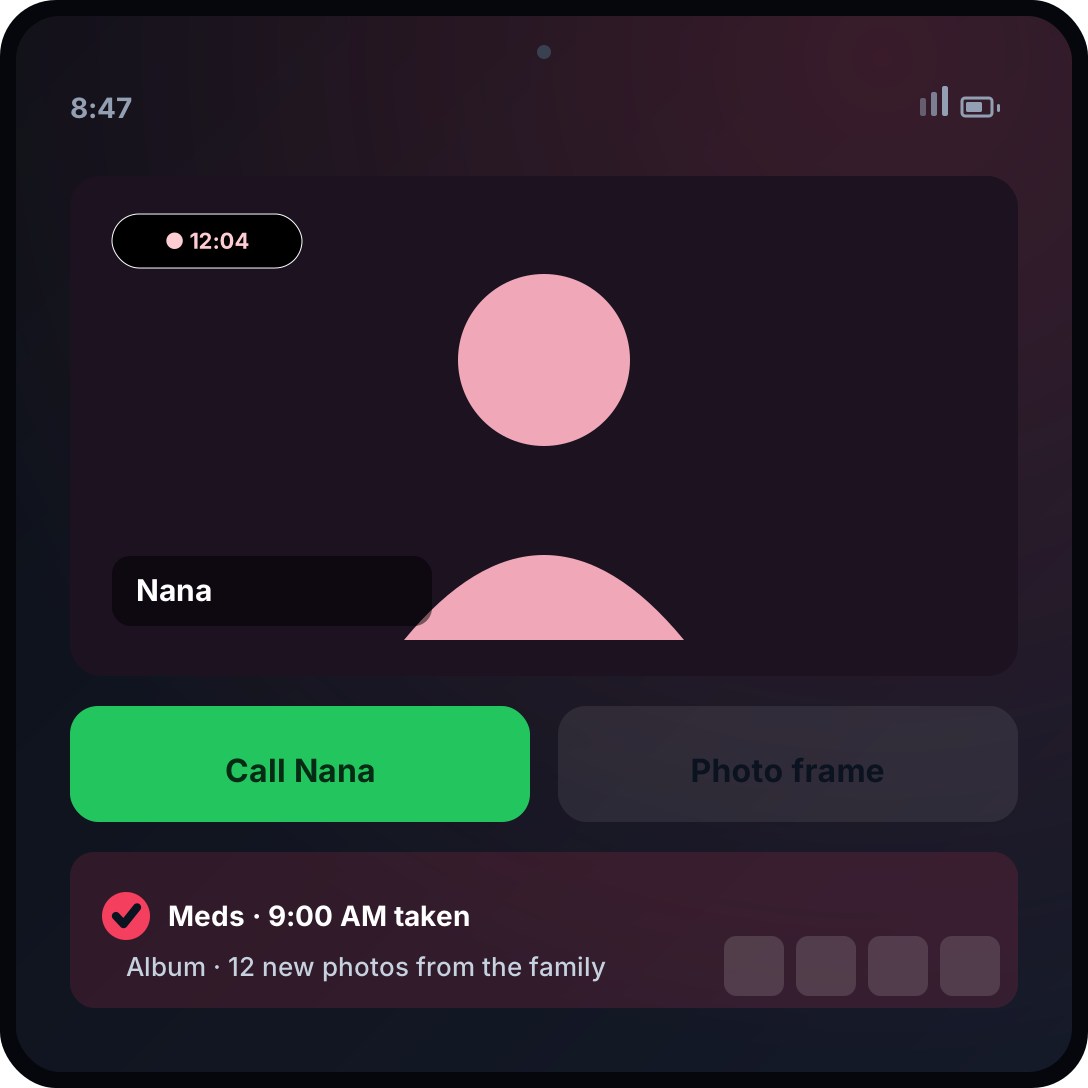
A large, always-ready FaceTime tile for a grandparent, medication and appointment reminders for an aging parent, and a shared photo frame the whole family keeps filling. HomeView’s far-field microphones mean a call can start without anyone finding a phone, and Center Stage keeps the room in frame.
The wedge
Sell to the adult child who sets the device up, not the person using it — the same buyer who already ships a HomePod or an iPad to a parent. Start with one job: easy calls, medication reminders, and a daily “I’m okay” check-in.
Ship this MVP
One-tap FaceTime and contacts, a shared-album photo frame, medication and appointment reminders, a check-in log, and caregiver roles with optional alerts. Keep the surface to three oversized buttons.
Monetization
$12–$20/month per household
Build difficulty: Medium
#3 Apple HomeView app idea
RoomTone: The home audio app that can ship on HomeView on day one
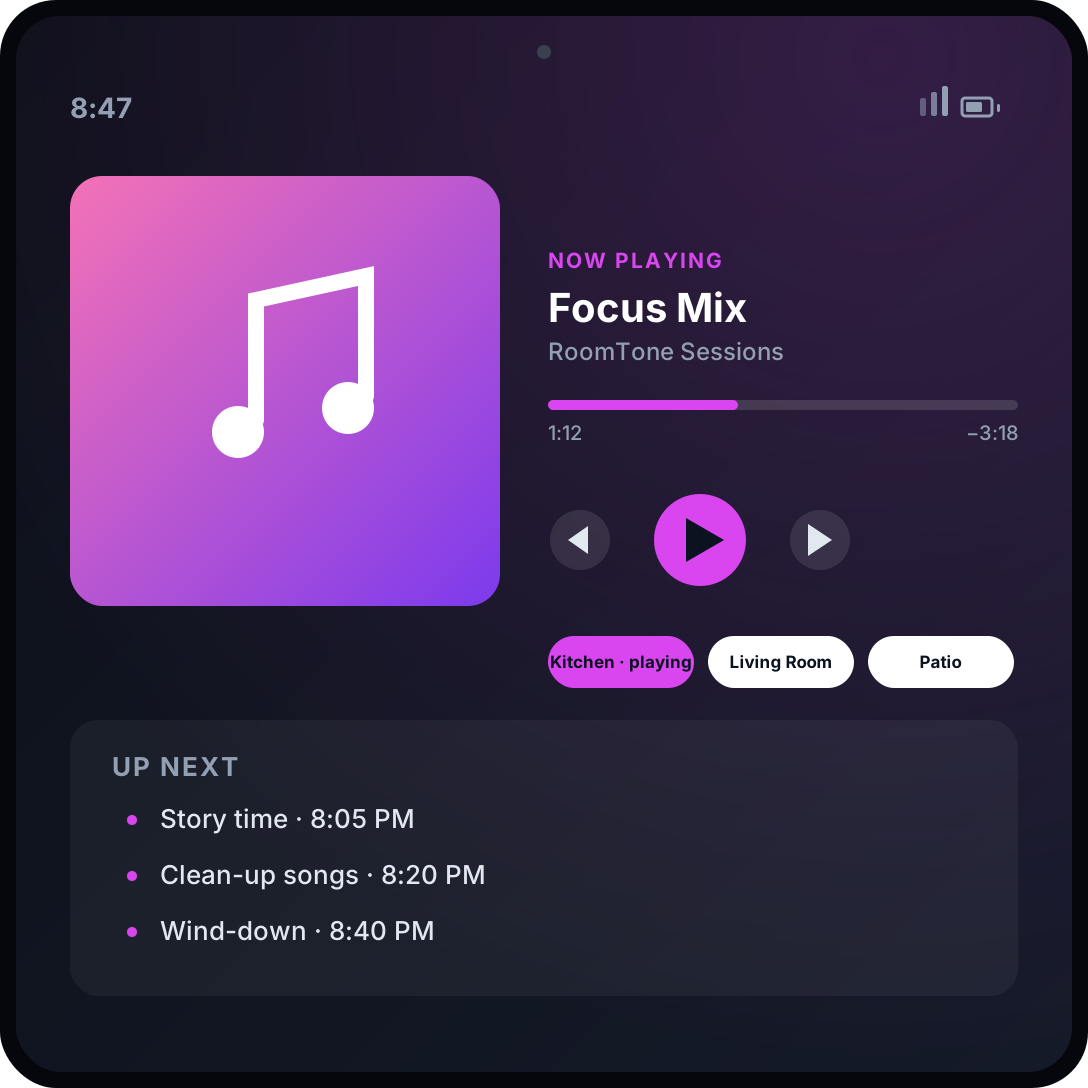
CarPlay audio apps already run on HomeView with no changes. RoomTone is built for that surface: a party face with a live queue, a kids’-stories face with a sleep timer, and per-room control across HomeView, HomePod, and AirPlay speakers.
The wedge
Do not fight Apple Music. Own a listening moment it serves poorly — bedtime audio for kids, focus and sleep soundscapes, language practice, or a party DJ mode — and become the app a household launches by voice.
Ship this MVP
A CarPlay audio-category app, room grouping over AirPlay, presets, parental controls, and a “now playing” Live Activity. Launch with one vertical’s library.
Monetization
Free with $6–$9/month premium
Build difficulty: Medium
#4 Apple HomeView app idea
Hearth: A comfort-and-energy concierge for the whole house
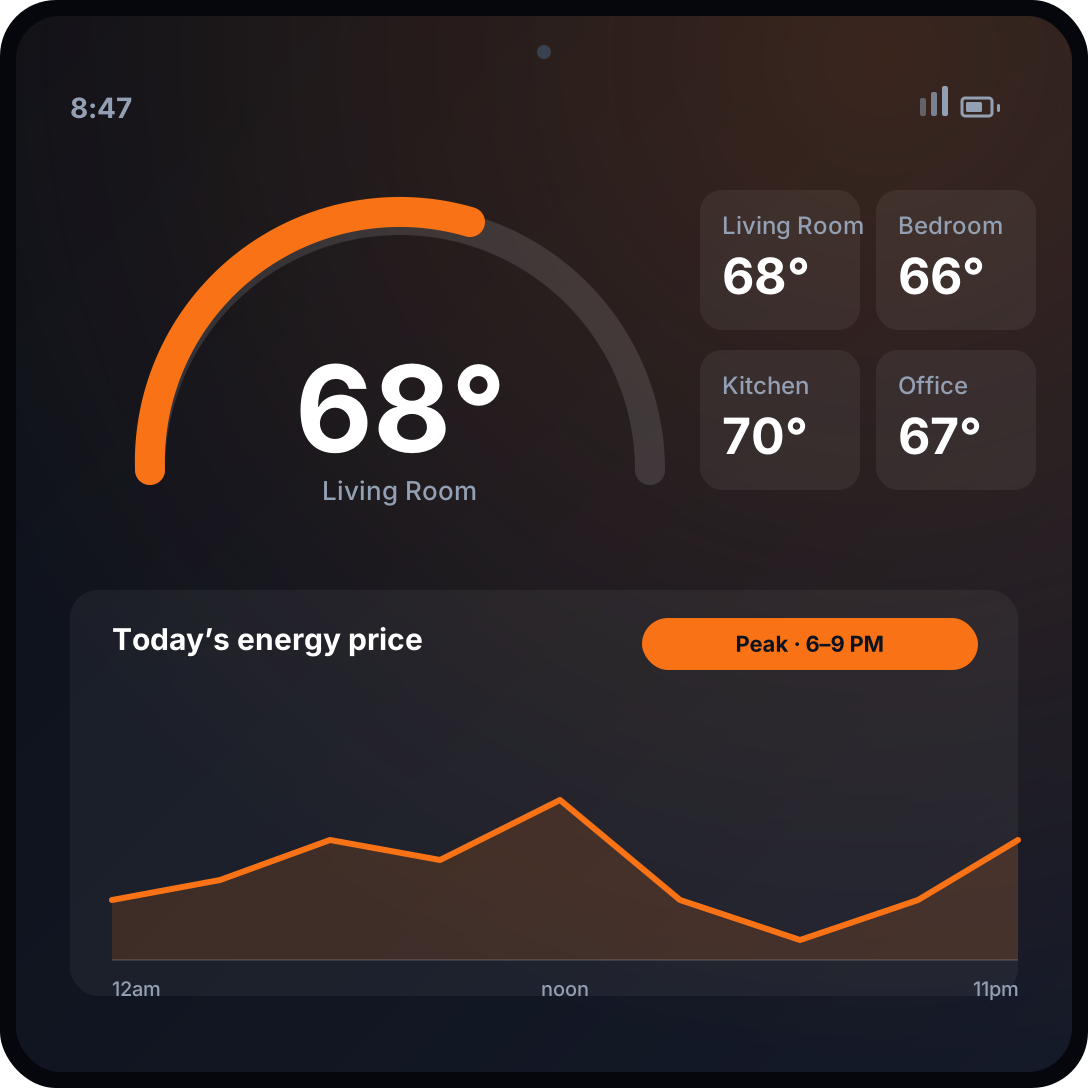
HomeView carries a temperature and humidity sensor, and the new Home Collection thermostats can read the sensors built into HomeView. Hearth turns the screen into a per-room climate map with cost-to-run, time-of-use windows, and one-tap “pre-cool” and “cozy” scenes.
The wedge
Target homes with heat pumps, EVs, and time-of-use electricity rates — buyers who already care about energy cost and can quantify savings. EnergyKit and Clean Energy Guidance supply the data; the wedge is a monthly savings report no thermostat app provides.
Ship this MVP
Thermostat and EnergyKit integration, per-room temperature and humidity, a schedule, a savings estimate, and one auto-generated weekly report. Add EV charge scheduling second.
Monetization
$8–$15/month or bundled with hardware
Build difficulty: Medium–Hard
#5 Apple HomeView app idea
WatchTower: The intelligence layer for a home full of cameras
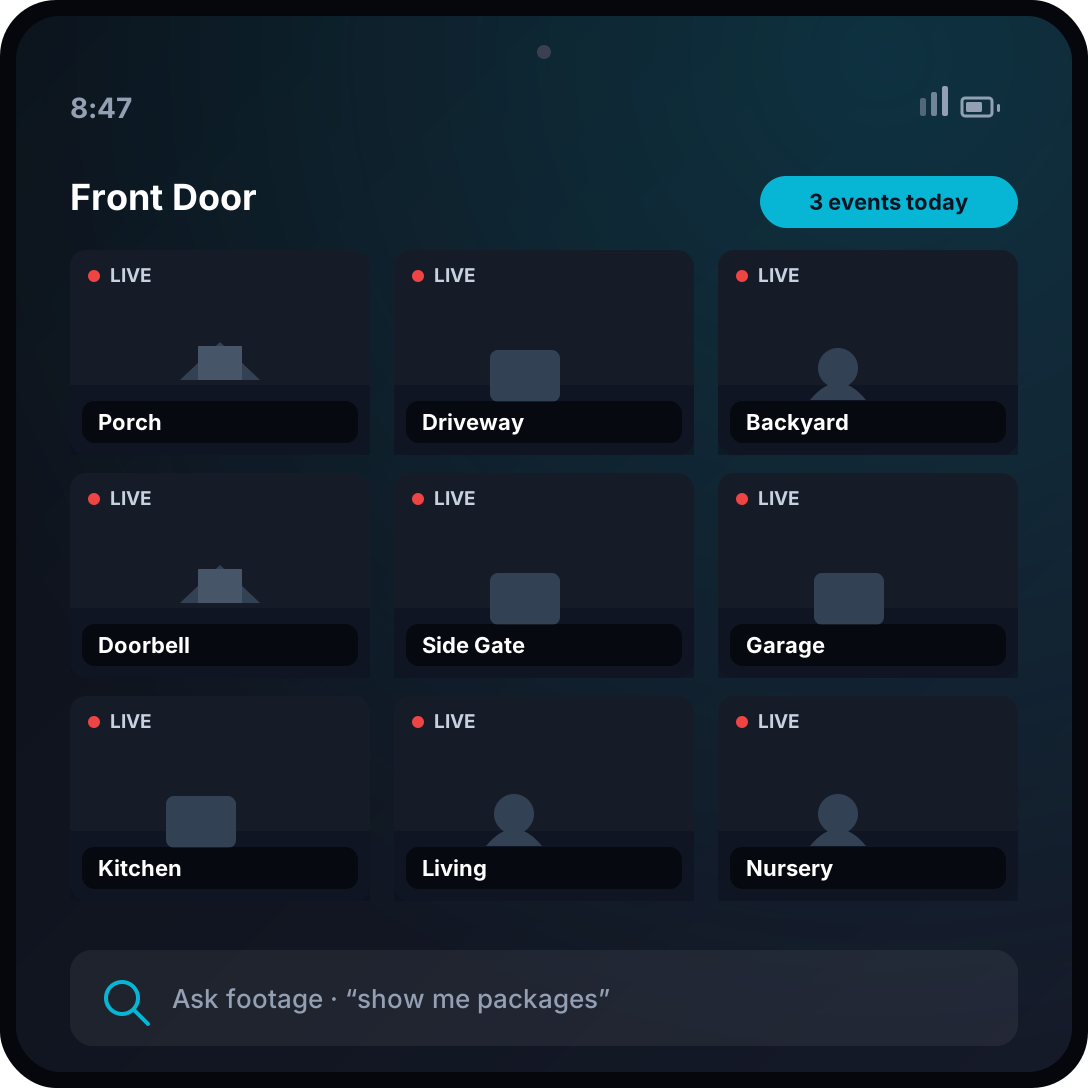
The built-in Home Camera face streams up to nine feeds. WatchTower makes that grid smarter: a daily “who came by” digest, natural-language search across supported HomeKit Secure Video events, package and pet alerts, and per-person rules as faces are recognized.
The wedge
Go after operators with more than one property and a reason to prove diligence: short-term rental hosts, small landlords, and multi-home owners. Consumer camera apps stop at live view; the money is in records, search, and shared rules.
Ship this MVP
Ingest supported HomeKit Secure Video events, build a searchable timeline and daily digest, add guest and household rules, and export a clip or incident log. Start with one property type.
Monetization
$15–$29/month per property
Build difficulty: Hard
#6 Apple HomeView app idea
SnapChef: A hands-free cooking coach built for messy hands and small kitchens
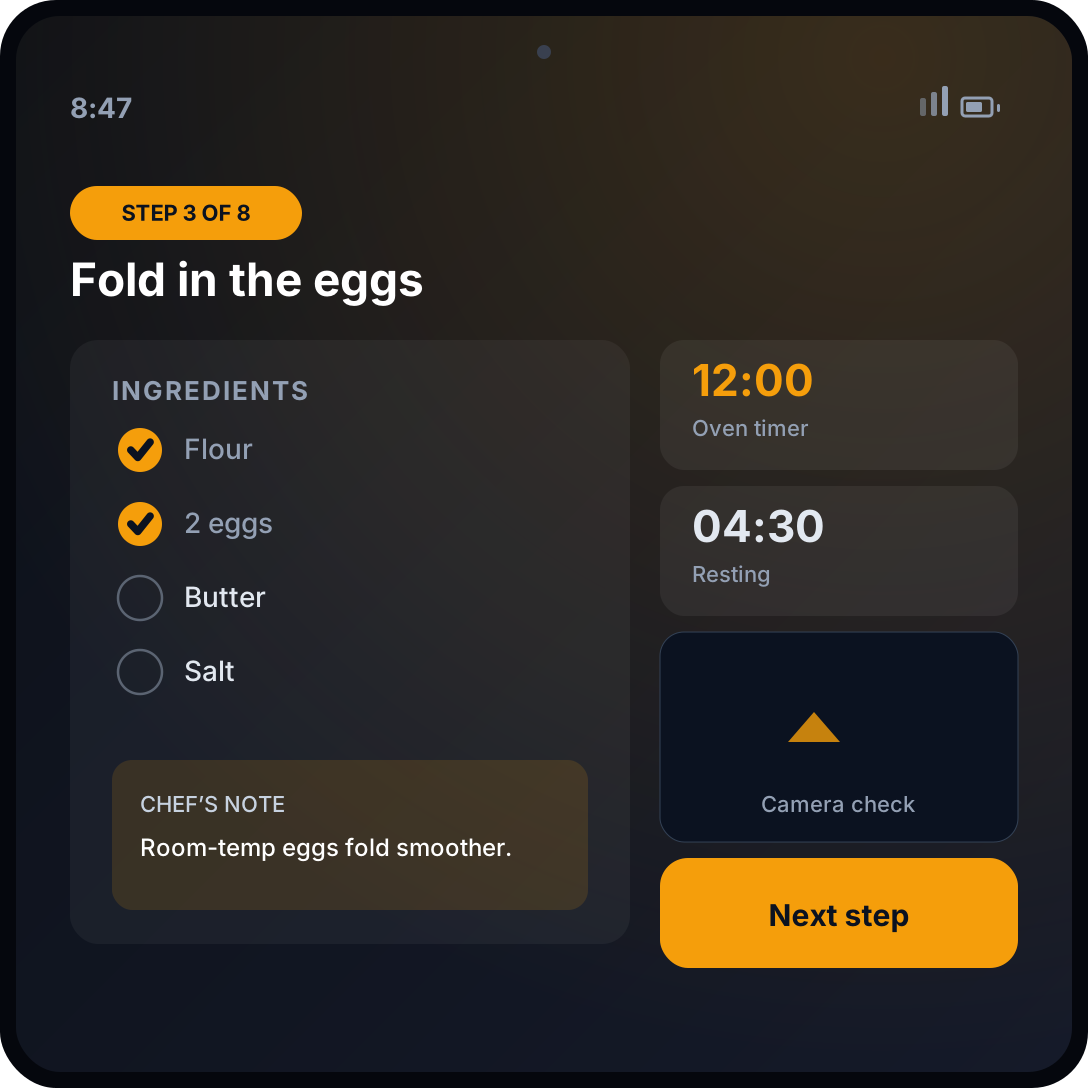
Apple already parses a recipe page into steps and timers. SnapChef adds what Apple leaves out: it scales to your servings, remembers your pantry and allergies, runs parallel timers, and answers “is this done?” by voice while your hands are covered in dough.
The wedge
Pick a household with real dietary stakes — allergy-safe baking, diabetic meal planning, or a weekly meal-prep routine — instead of competing with every recipe site. Retention comes from personalization Apple will not build.
Ship this MVP
Recipe import and scaling, pantry and allergy memory, parallel timers, substitution suggestions, and a grocery list that syncs to the household. Add camera checks later.
Monetization
$5–$8/month
Build difficulty: Easy–Medium
#7 Apple HomeView app idea
ChoreWars: Turn the family screen into a scoreboard for the boring stuff
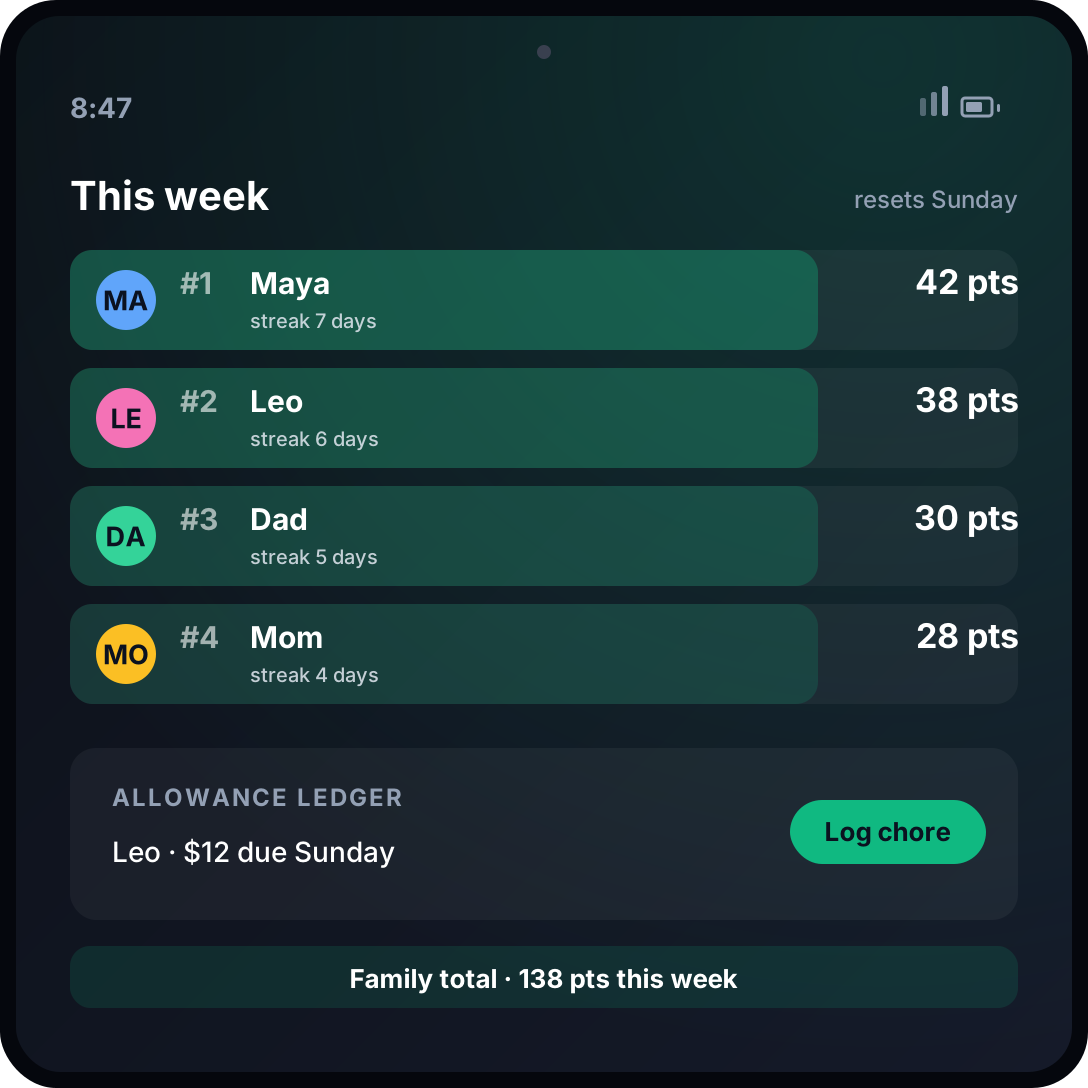
Because a recognized face can change what the screen leads with, ChoreWars makes the shared display a live points board: chores, habits, reading minutes, and allowance, with a weekly family reset and animations worth walking over to see.
The wedge
Sell to parents of tweens and teens — the age where a phone-based reward chart stops working and money starts mattering. Tie points to real allowance and household rewards, not another star chart.
Ship this MVP
A chore and habit list, photo or voice proof, points and streaks, an allowance ledger, and a family leaderboard face. Keep kid setup to a single household code.
Monetization
$4–$7/month per family
Build difficulty: Easy–Medium
#8 Apple HomeView app idea
GuestMode: A welcome screen for rentals, guests, and second homes
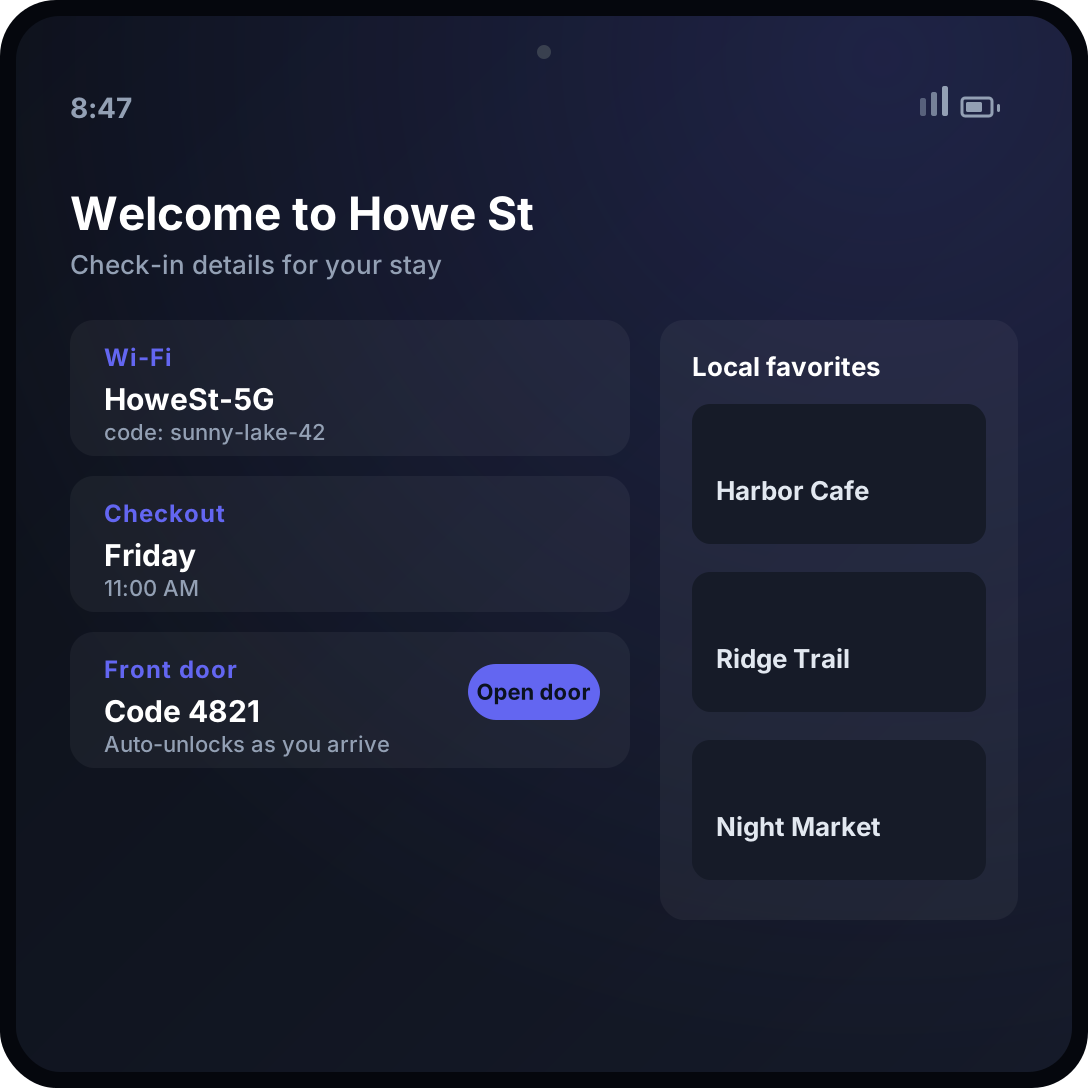
A wall-mounted HomeView in an entryway can greet a guest with the Wi-Fi password, checkout time, house rules, and a local guide — then control the smart lock and thermostat it already pairs with. Between stays, it resets to a turnover checklist for the cleaner.
The wedge
Target short-term rental operators and property managers who currently tape laminated instructions to a wall and answer the same five questions per booking. Sell per property, not per user.
Ship this MVP
A guest welcome flow with Wi-Fi and door codes, local recommendations, issue reporting, and a turnover and reset checklist. Add lock and thermostat control through Matter.
Monetization
$20–$49/month per property
Build difficulty: Medium–Hard
#9 Apple HomeView app idea
TeachIt: After-school learning that lives on the counter, not in a phone
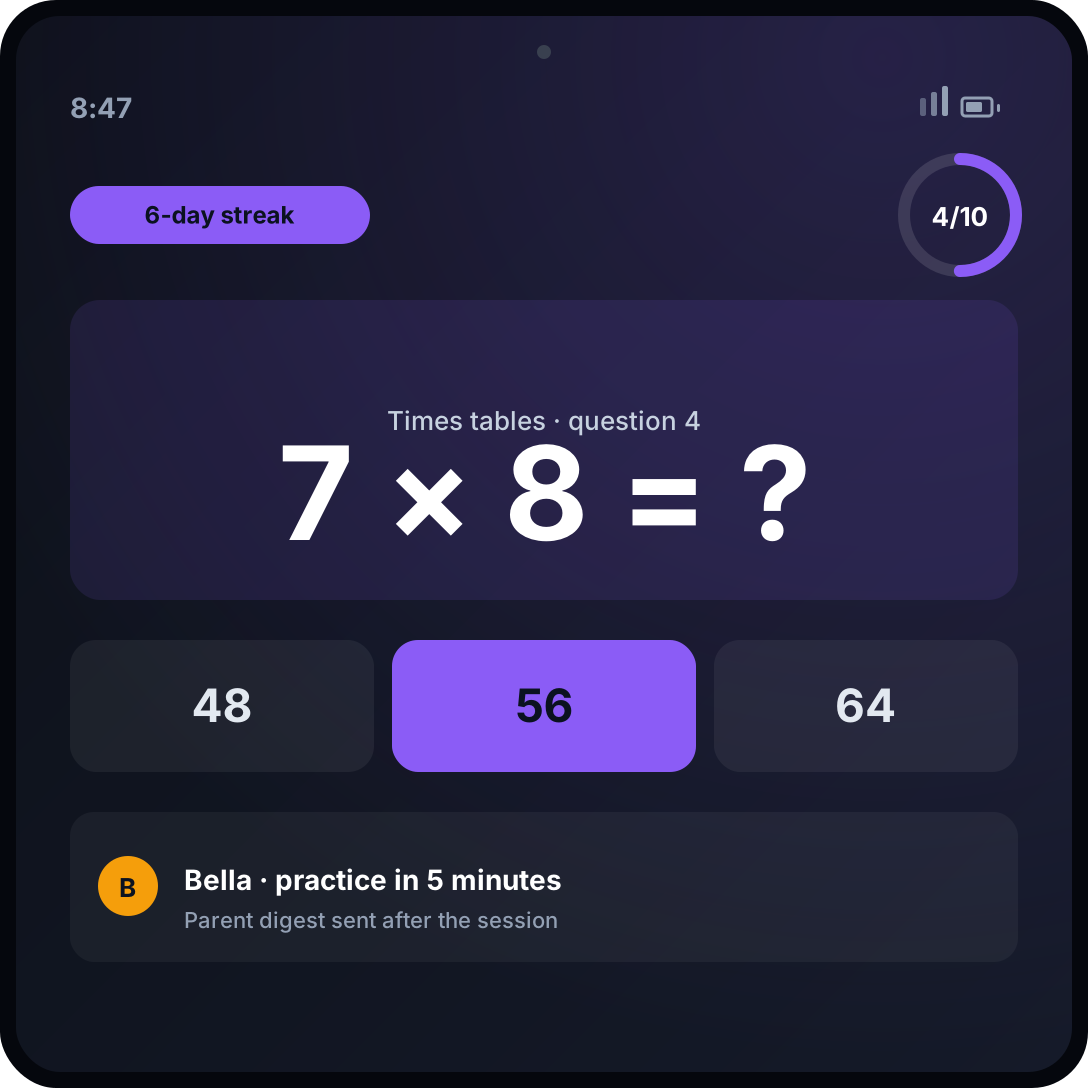
A shared screen turns homework from a solo phone fight into a family routine. TeachIt puts a per-child “practice face” on HomeView: five-minute math drills, vocabulary, or music-theory quizzes by voice, with a recap for the parent and a streak for the kid.
The wedge
Pick one narrow, repeatable skill with a measurable gain and an anxious parent — early reading, times tables, or a second language — instead of “all education.” The daily ritual is the product.
Ship this MVP
One curriculum, voice-driven practice, a five-minute timer, streaks, and a weekly parent digest. Kids need no login; they arrive through the household faces.
Monetization
$10–$20/month per family
Build difficulty: Medium
#10 Apple HomeView app idea
HomeHealth Board: A shared, private health surface for caregiving households
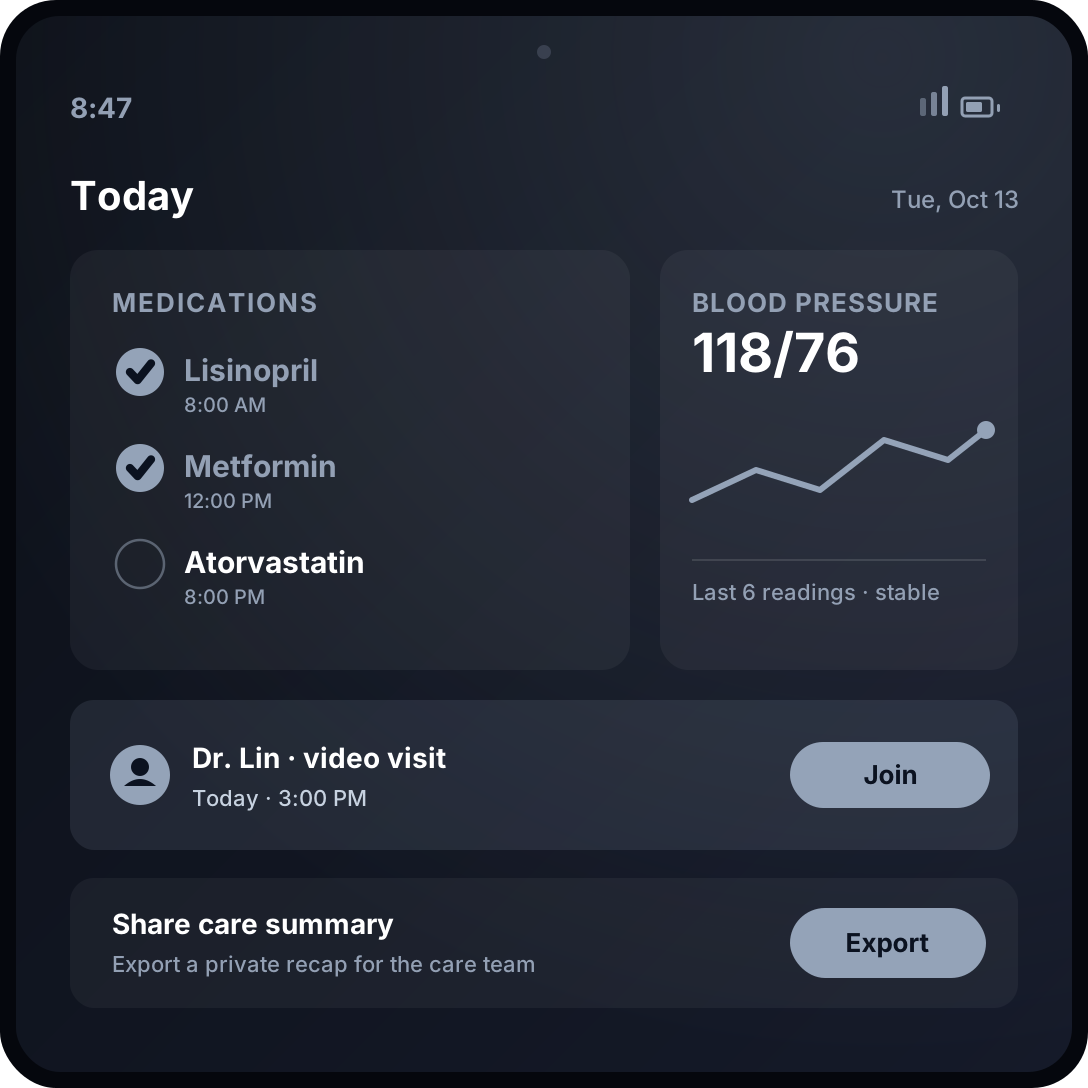
When a member is recognized and their phone is nearby and recently unlocked, HomeView can surface only their personal content. HomeHealth Board uses that privacy model for a shared health corner: medication schedules, symptom and vitals logging, appointment prep, and a one-tap telehealth launch.
The wedge
Start with caregiving households managing one chronic condition or an aging parent — high urgency, daily repeat use, and clear willingness to pay. Sell through clinics and care agencies rather than competing with consumer health apps.
Ship this MVP
Medication and appointment reminders, a symptom and vitals log, an exportable care summary, and telehealth links. Privacy-first defaults and clear non-diagnostic language are requirements, not features.
Monetization
$9–$15/month per family
Build difficulty: Hard
Three Ideas Not to Build
A stretched phone app on a square screen
A bigger, shared canvas is a layout, not a business. If the job is just as good after the display goes dark, HomeView is a nicer screen — not a new product.
Yet another AI chat wrapper
Siri AI lives on the device with personal context and onscreen awareness. A new chat box needs proprietary data or a specialized household job to survive.
A HomeView-only app when there is no App Store
There is no HomeView SDK or App Store at launch, and third-party reach runs through CarPlay, widgets, App Intents, and HomeKit. If the business requires a native HomeView app today, you are betting on a platform that has not opened.
A 30-Day Apple HomeView Launch Plan
Days 1–3
Pick one shared household moment and the surface that reaches it: a widget, a Live Activity, a CarPlay media scene, an App Intent, or a HomeKit accessory.
Days 4–10
Build the iPhone companion first — a home-screen widget, a Live Activity, and one Siri App Intent. That is the reachable surface today.
Days 11–18
Add the HomeView-native moment: a glanceable widget layout, a CarPlay audio or video scene, or accessory control through Matter and HomeKit.
Days 19–23
Test it from across the room at 500 nits and in a dark bedroom at 0.3 nits. Verify face-switching and that personal content stays gated on a paired, unlocked iPhone.
Days 24–27
Record a ten-second clip of the screen doing the job as someone walks up. That clip is your launch asset.
Days 28–30
Recruit 20 households from one niche, charge from day one, and watch whether the ritual repeats after week one.
Timing note: Preorders opened October 13 and HomeView ships November 13, with Siri AI on the device still in beta on software version 27.2. There is no HomeView App Store, SDK, or design kit as of launch day, and Apple’s own developer guidance points third-party reach through CarPlay, widgets, App Intents, and HomeKit. Build the phone-side surfaces now and treat a native HomeView app as upside, not the plan.
The Bottom Line
Apple made a rare kind of product decision with HomeView: it shipped a device that is more closed to third parties than almost anything it has launched in years, then put it at the center of the home where everyone can see it. That tension is the opportunity. Pick one household job that gets dramatically better when the answer is already on a screen across the room, reach that screen through the narrow surfaces Apple opened, and make the iPhone companion the business. Someone will define what a HomeView app feels like in the next twelve months. It does not have to be Apple, and it does not require Apple’s permission.
Frequently Asked Questions
What is the Apple HomeView?
Apple HomeView is Apple’s first smart display: a 7-inch square Liquid Retina screen on a domed speaker base, plus a separate wall-mounted model, both $299 in the U.S. It runs Siri AI on an A18 chip, recognizes up to six people by face, and doubles as a home hub for Thread and Matter accessories. Apple announced it on October 13, 2026, and it ships November 13.
Can third-party developers build apps for HomeView?
Not natively yet. There is no HomeView App Store, SDK, simulator, or design kit at launch. Apple’s day-one developer guidance routes third-party reach through a few paths instead: CarPlay audio and video apps, which Apple says work on HomeView without changes; an iOS app’s widgets, which the developer license agreement says “may be made available on … Apple HomeView”; Live Activities; and HomeKit and Matter accessories. Siri App Intents on a paired iPhone are the likely route for voice-driven actions.
Which APIs matter most for HomeView apps?
App Intents and App Schemas for Siri AI, WidgetKit and Live Activities for glanceable surfaces, the CarPlay framework for audio and video apps, and HomeKit, Matter, ThreadNetwork, and EnergyKit for accessories and home data. None of these ships a HomeView-specific target yet, so the practical work happens on the paired iPhone and on the accessories themselves.
Is there an App Store on HomeView?
No. HomeView ships with a curated set of Apple apps and supports “compatible third-party audio and video apps from your iPhone,” which Apple later clarified means existing CarPlay media apps. There is no general app store on the device, and a handful of third-party media apps such as Spotify are available at launch.
What is the best HomeView app idea for a solo developer?
A household utility with a companion iPhone app, or a CarPlay audio app that already fits a supported category. Both can ship without an unreleased SDK, prove a shared-screen moment, and still earn revenue on the phone. Care, energy, security, and learning products have larger potential but require more data, hardware, or compliance work.
Sources
- Apple Newsroom: Meet Apple HomeView, a new way to enjoy entertainment, stay connected, and manage the home
- Apple: HomeView
- Apple Newsroom: Introducing Apple Home Collection, a new lineup of smart home accessories
- Apple Developer: Developing apps and accessories for the home
- 9to5Mac: Will HomeView support third-party apps? Here’s what Apple says
- TechCrunch: Apple makes another push into the smart home market with HomeView
- WIRED: The Apple HomeView Is Like a Giant Apple Watch for the Home
- Blake Crosley: Apple HomeView for Developers — What Apple Said on Day One
Keep exploring: 10 Best iPhone Duo App Ideas or use our free business ideas generator to turn one of these household wedges into a specific product concept.
Get the Next Platform Shift Early
We turn new technology announcements into practical, buildable opportunities for indie hackers and solo founders.
Join 3,000+ founders building ahead of the curve
Keep Reading
10 Best MacBook Pro App Ideas to Build for Apple’s M6 Launch
Apple just launched the M6 MacBook Pro. These 10 MacBook Pro app ideas use its faster Neural Engine, Siri AI, 24-hour battery, and on-device privacy.
The Indie Hacker App Cloning Loop: MailCheap, DataFast, and the Race to $0
Marc Lou built a beehiiv alternative. Then founders launched DataFast alternatives. What this week’s cloning loop says about software prices, trust, and distribution.
Anthropic’s IPO Filing Reveals a 20× Agent Spend Gap. What Should SaaS Founders Do With It?
Anthropic’s S-1 reports 900% net revenue retention and a 20× spend gap among its heaviest Claude Code users. Here is what the numbers mean for SaaS founders—and what they do not prove.