
10 Best MacBook Pro App Ideas to Build for Apple’s M6 Launch
Apple just launched the M6 MacBook Pro. These 10 MacBook Pro app ideas use its faster Neural Engine, Siri AI, 24-hour battery, and on-device privacy.
Key Takeaways
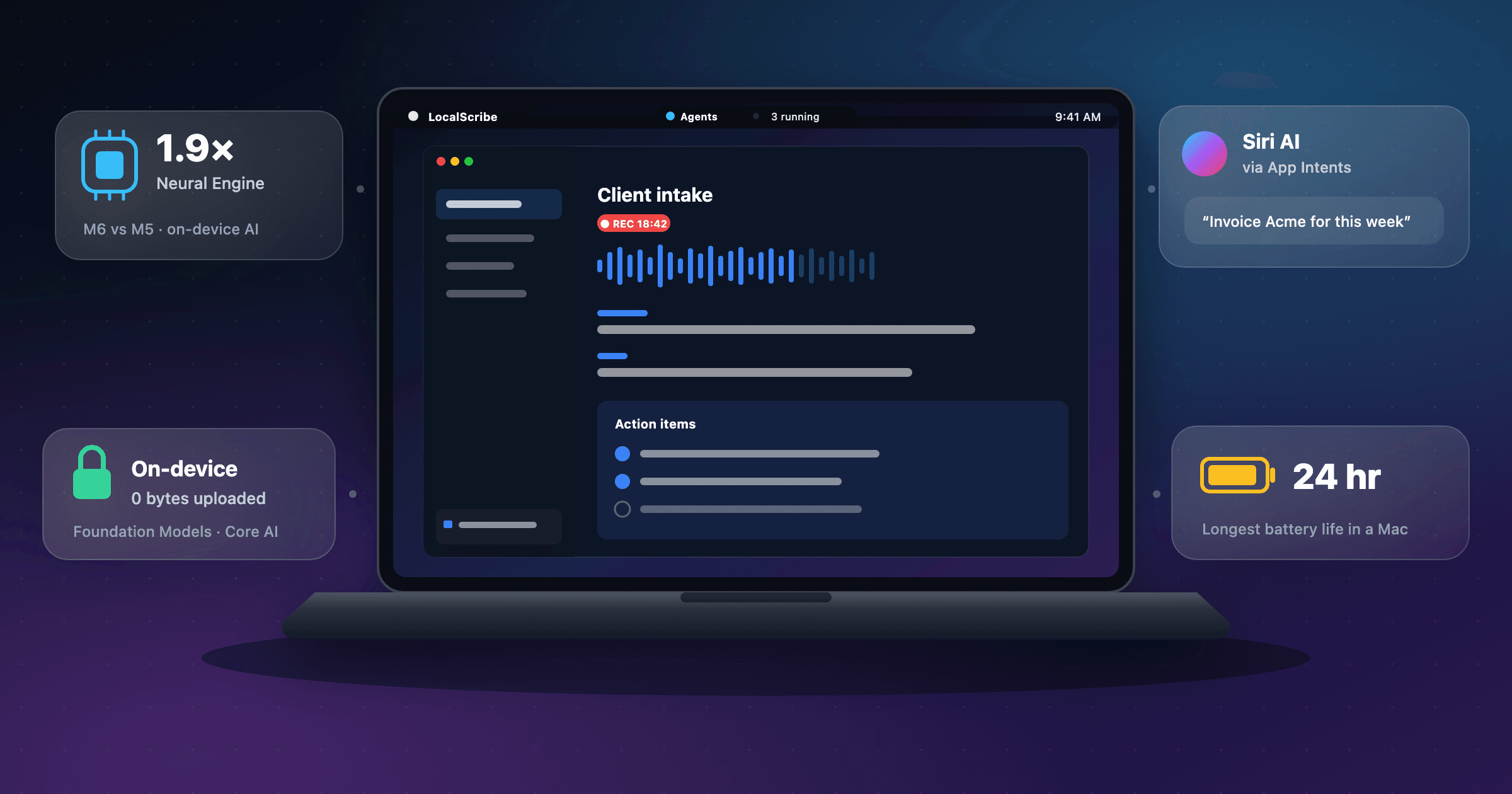
- The $1,999 M6 MacBook Pro makes on-device AI the default: Apple claims a Neural Engine up to 1.9x faster than M5 and up to 24 hours of battery life.
- Unlike HomeView or a new iPhone form factor, the Mac is already open. You can ship today through the Mac App Store or sell direct, with no new SDK to wait for.
- The strongest ideas sell “nothing leaves this laptop” as the feature: client calls, legal documents, raw footage, and lecture audio that professionals cannot send to a cloud model.
- On-device models change the unit economics. When inference runs on the customer’s Mac, an AI feature has no per-token cost to you, so one-time pricing works again.
- The touchscreen OLED MacBook Pro is expected at Apple’s “Pro and tell” event later today, but it is reported, not announced. Build keyboard-first and treat touch as upside.
Apple launched the 14-inch MacBook Pro with M6 yesterday. It starts at $1,999, runs up to 24 hours on a charge, and has a Neural Engine Apple says is up to 1.9x faster than M5. Preorders open today, and it arrives November 6. Later today, at a “Pro and tell” event in Los Angeles, Apple is widely reported to unveil the first touchscreen MacBook Pro.
Most coverage will compare benchmarks. The more useful read for builders, and the starting point for good MacBook Pro app ideas, is economic. Every new Mac makes on-device AI faster, and Apple now gives developers a free on-device model, a framework for running their own models, and a Siri that can call into third-party apps. When the model runs on the customer’s laptop, an AI feature costs you nothing per use. That changes which apps are worth building and how to price them.
Unlike Apple’s new HomeView or the iPhone Duo, the Mac has no gate. You do not need to wait for an SDK or an App Store. You can ship this week. The ideas below are the ones where this specific machine makes the product noticeably better than the cloud alternative.
What the New MacBook Pro Actually Unlocks
$1,999
Starting price
24 hrs
Battery life
1.9×
Neural Engine vs. M5
32GB
Max unified memory
Start with the hardware. The M6 pairs a 12-core CPU with a 12-core GPU that has Neural Accelerators in every core, plus what Apple calls a dual 16-core Neural Engine. Apple claims up to 25 percent faster on-device AI workloads than M5, such as LLM prompt processing, and up to 13x faster time to first token than an M1. Memory starts at 16GB and tops out at 32GB, which comfortably fits a quantized model in the 20-billion-parameter range but not much more. Teams that need bigger local models will still reach for the M5 Pro and M5 Max configurations.
Now the software. macOS 27 adds Siri AI, which Apple describes as more capable, conversational, and personal, and integrates into Spotlight and system-wide context menus. It is still in beta in macOS 27.2. For developers, the important pieces were announced at WWDC26: the Foundation Models framework, a single Swift API to Apple’s on-device model; Private Cloud Compute, which Apple says many App Store Small Business Program developers can use “at no cloud API cost”; Core AI, for running custom models on the device; and App Intents with app schemas, the way Siri now takes action inside your app.
One constraint shapes every idea below. Apple’s on-device model has a small context window, so good Mac AI apps retrieve first and summarize second. They do not paste a whole document into a prompt.
On-device AI by default
A faster Neural Engine and GPU Neural Accelerators make local transcription, embeddings, and summaries quick enough to replace a cloud call.
Zero marginal AI cost
Foundation Models runs on the customer’s Mac. No per-token bill means one-time pricing and student pricing work again.
Siri AI that runs your app
App Intents and app schemas let Siri take actions inside third-party apps and chain them across the system.
All day, offline
Up to 24 hours of battery, the longest Apple has shipped in a Mac, turns flights and client sites into full workdays.
The 10 Best MacBook Pro App Ideas
Ranked by how much the new MacBook Pro improves the product, willingness to pay, speed to a focused MVP, and how much the idea depends on hardware Apple has not announced yet.
| # | Idea | Mac edge | Build | Business model |
|---|---|---|---|---|
| 1 | LocalScribe | 9/10 | Medium | $20–$40/month per seat, or $199/year |
| 2 | AgentWatch | 7/10 | Easy–Medium | $8–$12/month, or $20/seat for teams |
| 3 | CaseFile | 8/10 | Hard | $49–$99/month per seat |
| 4 | Ledgerline | 7/10 | Medium | $10–$15/month |
| 5 | CutDraft | 8/10 | Medium–Hard | $15–$25/month, or $149/year |
| 6 | Carry-On | 7/10 | Easy–Medium | $29–$49 one-time, plus $5/month for synced packs |
| 7 | RedLine | 7/10 | Medium | $12–$20/month per seat |
| 8 | LectureLoop | 7/10 | Easy–Medium | $4–$8/month, or $39/year |
| 9 | DeskCast | 7/10 | Medium | $12–$19/month per tutor |
| 10 | SetupDay | 6/10 | Medium–Hard | $49–$99 per rollout, or $5–$8/device/month |
#1 MacBook Pro app idea
LocalScribe: Private meeting notes for professionals who cannot use cloud AI recorders
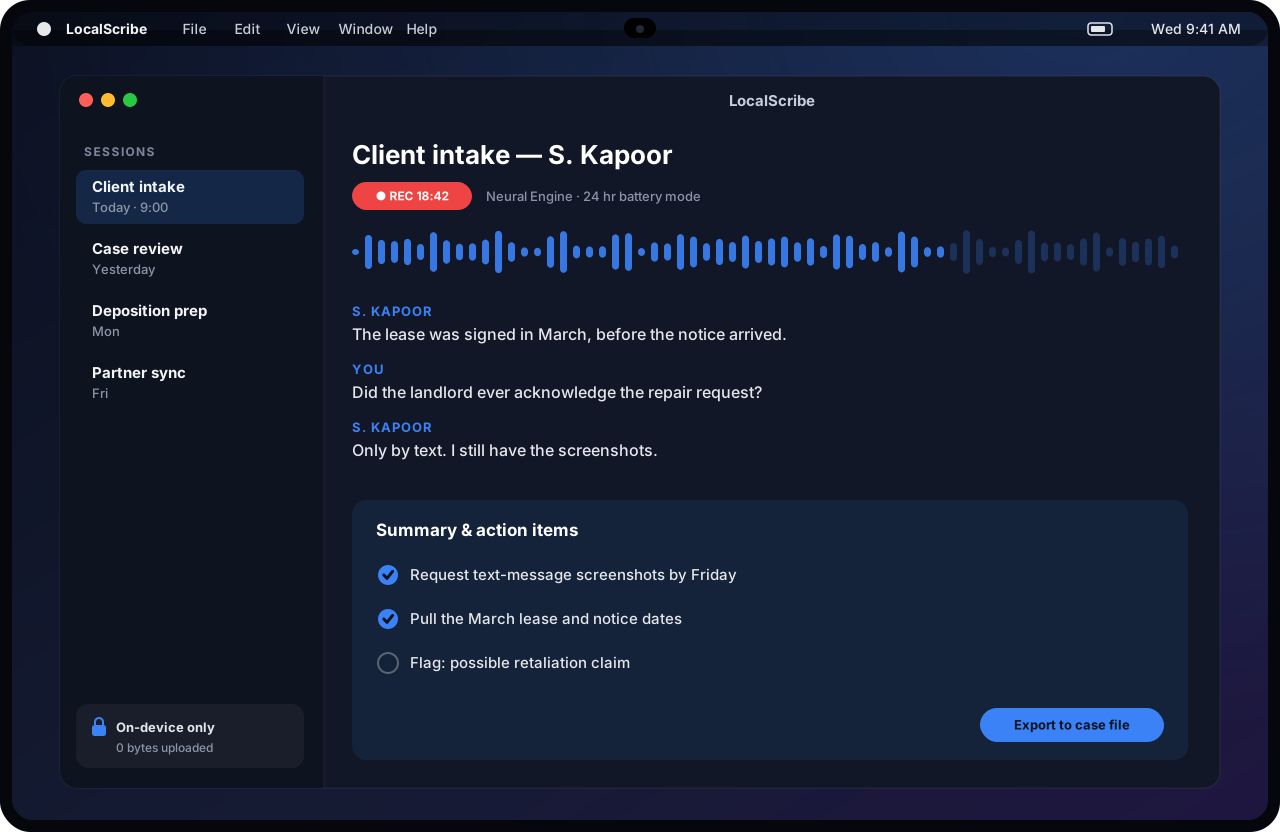
LocalScribe records, transcribes, and summarizes client conversations entirely on the Mac. The Neural Engine handles transcription, Apple’s on-device Foundation Model writes the summary and action items, and the audio never leaves the laptop. With up to 24 hours of battery, a full day of back-to-back sessions runs unplugged.
The wedge
Cloud note-takers are everywhere, but lawyers, therapists, financial advisers, and clinicians often cannot upload a client conversation to someone else’s server. Sell “nothing uploaded” as the product, and launch with one profession’s templates: an intake memo, a SOAP note, or a suitability note.
Ship this MVP
A menu-bar recorder, on-device transcription with speaker labels, one summary template per profession, export to PDF and Word, and a session log showing that no audio or text left the machine.
Monetization
$20–$40/month per seat, or $199/year
Build difficulty: Medium
#2 MacBook Pro app idea
AgentWatch: Mission control for the coding agents now running on your Mac
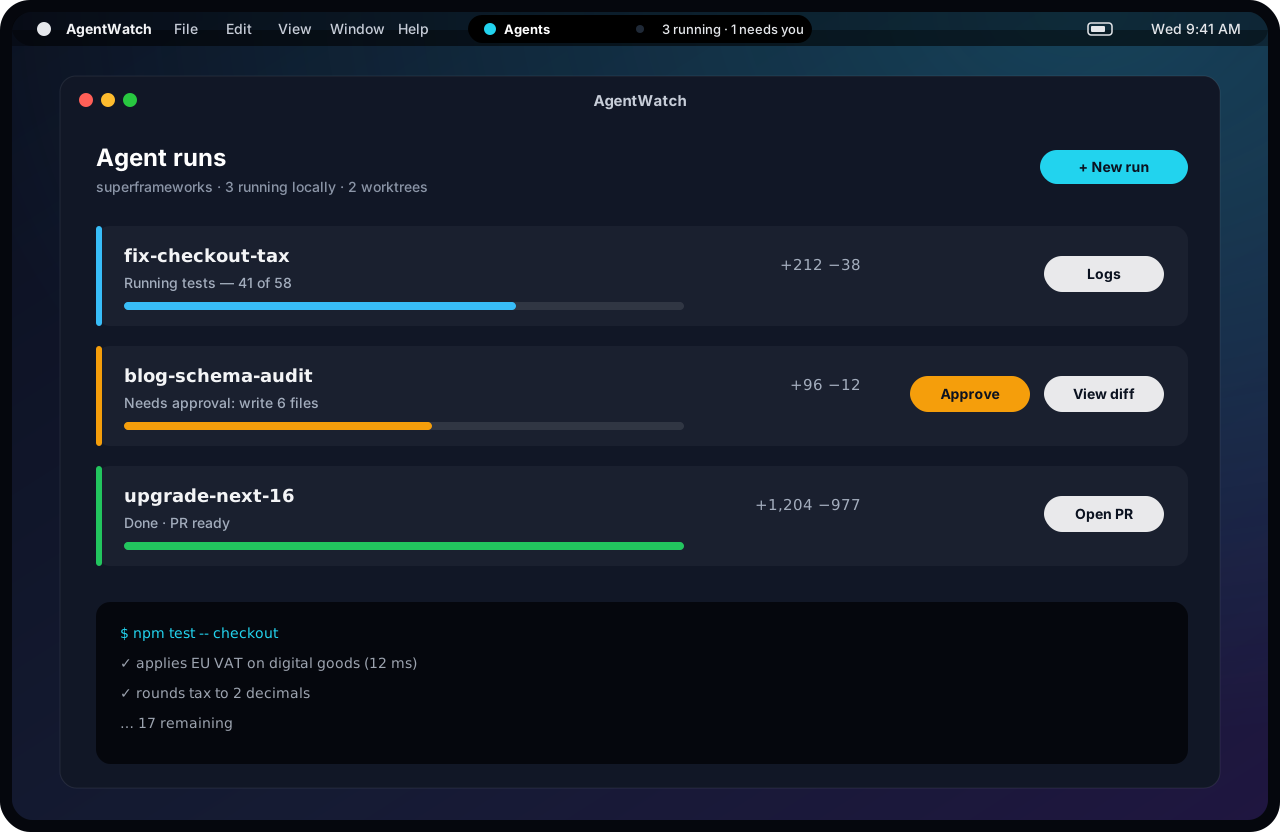
Xcode 27 brought agentic coding to the Mac, and Apple says it worked with Anthropic, OpenAI, and Google to bring their agents into the IDE. Developers already run several more in terminals across git worktrees. AgentWatch watches every local agent session, shows progress and diff size, and surfaces “needs approval” in the menu bar — or in a Dynamic Island, if the touch model ships with one.
The wedge
Target solo developers and small teams running three or more agents in parallel who lose track of which one is blocked. Parallel-agent workspaces such as Conductor already exist, so do not rebuild them. Be the lightweight monitor that works across whatever tools a developer already uses.
Ship this MVP
Detect running agent sessions, show per-run status and diff stats, send approval notifications, add a menu-bar summary, and write a plain-English “what changed” digest before review.
Monetization
$8–$12/month, or $20/seat for teams
Build difficulty: Easy–Medium
#3 MacBook Pro app idea
CaseFile: Private document review for small law and accounting firms
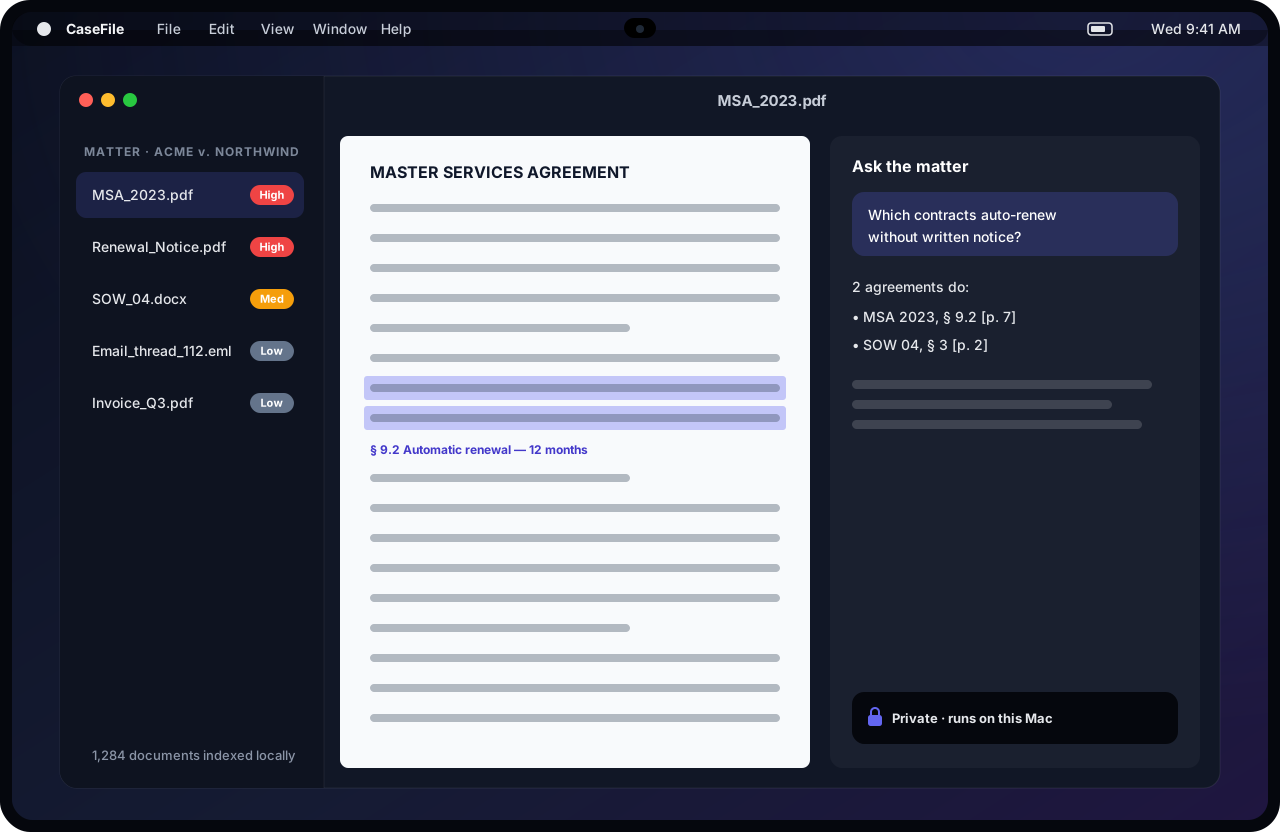
CaseFile indexes thousands of contracts, emails, and PDFs locally, then answers questions with page-level citations, without sending privileged documents to a cloud model. Apple’s new Core AI framework runs custom models such as embeddings on the device, and the on-device Foundation Model writes the answer. The on-device model’s context window is small, so CaseFile retrieves passages first and summarizes second.
The wedge
Firms with fewer than 20 lawyers, or accountants in tax season, are priced out of enterprise e-discovery and nervous about client data in a chatbot. Start with one repeatable job: contract review for renewal, termination, and liability clauses.
Ship this MVP
Folder import, local OCR and indexing, cited Q&A, a clause-extraction table across a matter, and export to a review memo. Keep every model call on the device by default.
Monetization
$49–$99/month per seat
Build difficulty: Hard
#4 MacBook Pro app idea
Ledgerline: A Siri AI-native back office for freelancers
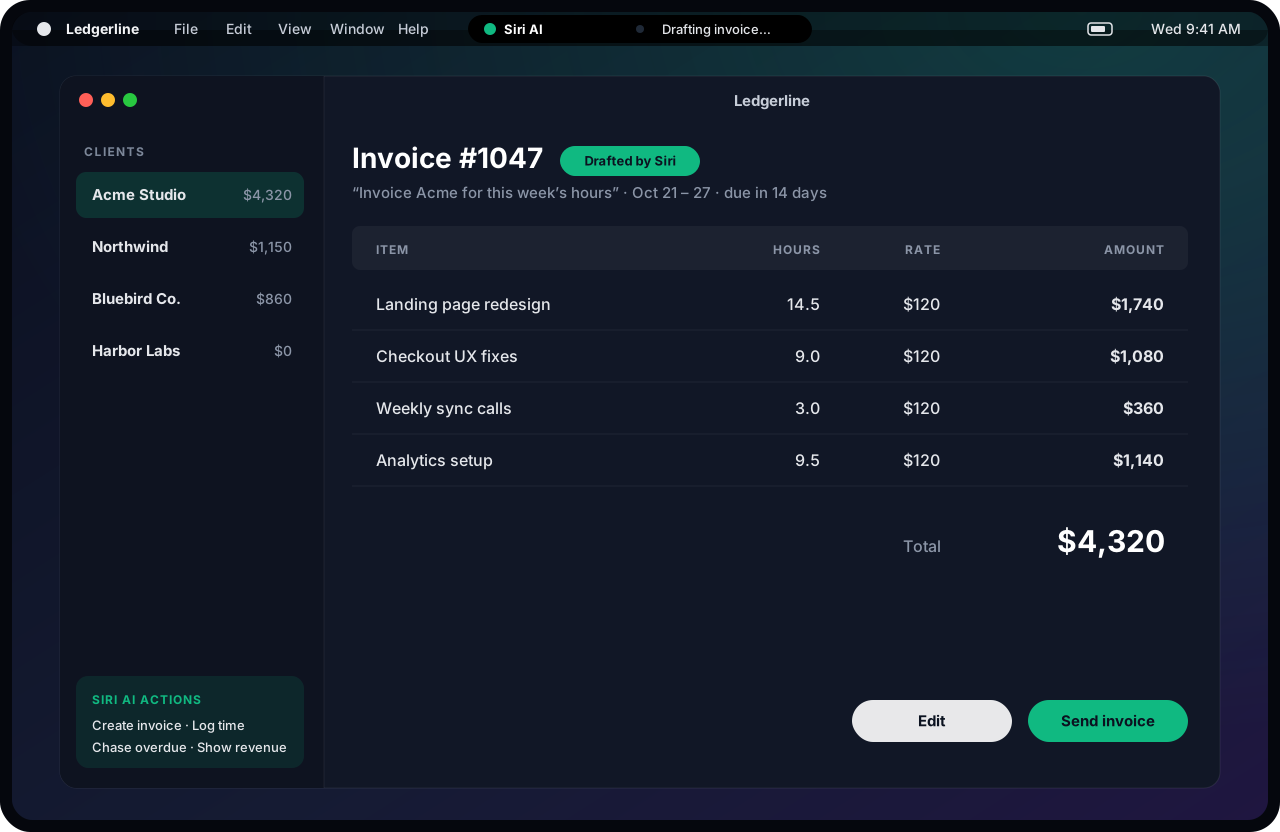
macOS 27’s Siri AI can take action inside third-party apps through App Intents, and a system orchestrator can chain intents from several apps. Ledgerline is built around those intents from day one: “Invoice Acme for this week’s hours,” “Who is overdue?”, “Log two hours to Northwind.” The app becomes the action Siri reaches for when someone says “invoice.”
The wedge
Sell to freelancers and two-person agencies who hate admin. Apple says apps that adopt its app schemas “automatically benefit from future Siri updates,” so early, well-structured intents are the moat. Check which schema domains Apple supports today. Where invoicing is not one, plain App Intents still reach Shortcuts and Spotlight.
Ship this MVP
Clients, a time log, invoices with Stripe payment links, overdue reminders, and five App Intents, using a matching app schema wherever one exists.
Monetization
$10–$15/month
Build difficulty: Medium
Stay Ahead of the Trends
Get insights like this before they’re everywhere. Weekly, no fluff.
#5 MacBook Pro app idea
CutDraft: Local rough cuts and clips for video podcasters
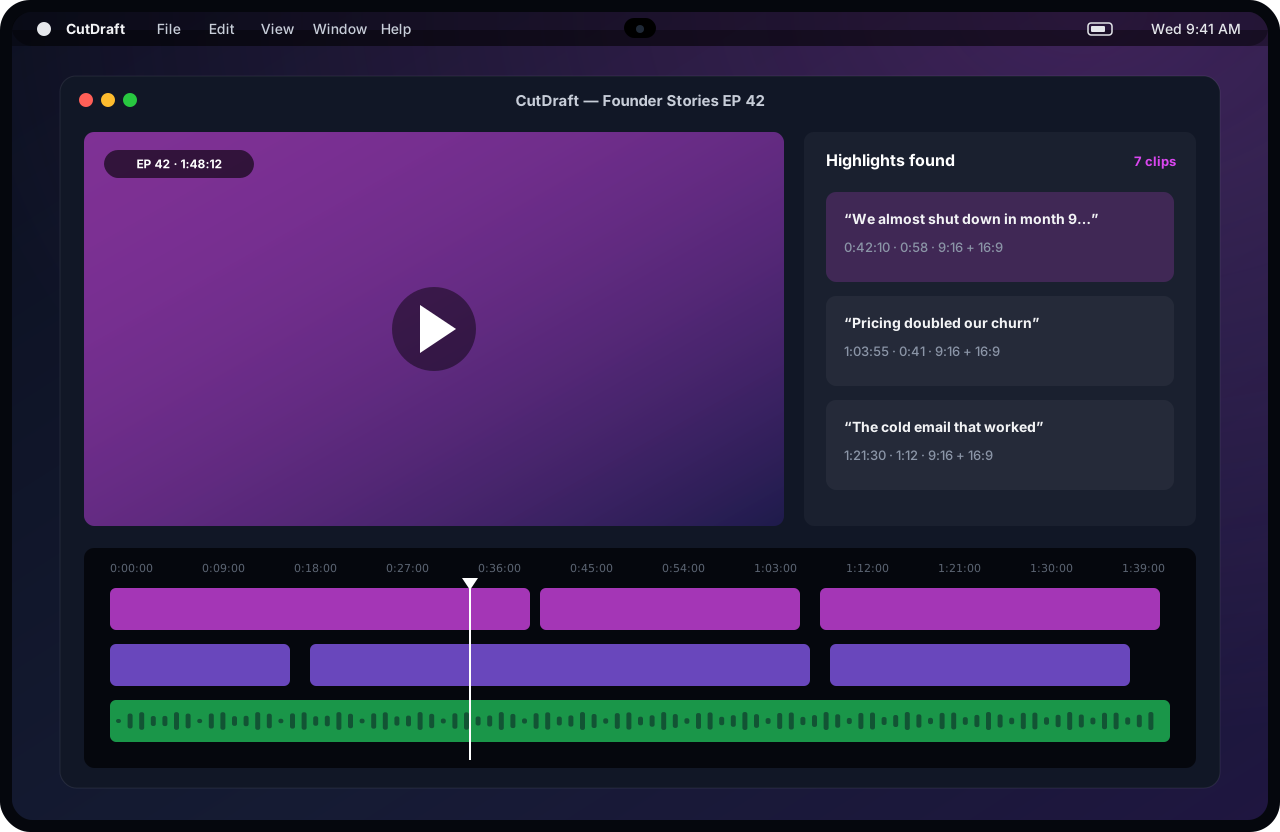
Apple says the M6 GPU delivers up to 30 percent faster graphics than M5, with Neural Accelerators in every core. CutDraft transcribes a two-hour video podcast locally, finds the strongest moments, and builds vertical and horizontal clips without uploading 40GB of raw footage over hotel Wi-Fi.
The wedge
Cloud clip tools charge per upload minute and choke on long raw files. Target weekly video podcasters and solo YouTubers, and sell the time from “stop recording” to “clips ready.”
Ship this MVP
Import, local transcription, highlight detection with the on-device model, auto-reframe to 9:16, burned-in captions, and export presets for Shorts, Reels, and TikTok.
Monetization
$15–$25/month, or $149/year
Build difficulty: Medium–Hard
#6 MacBook Pro app idea
Carry-On: An offline AI kit that packs itself before every flight
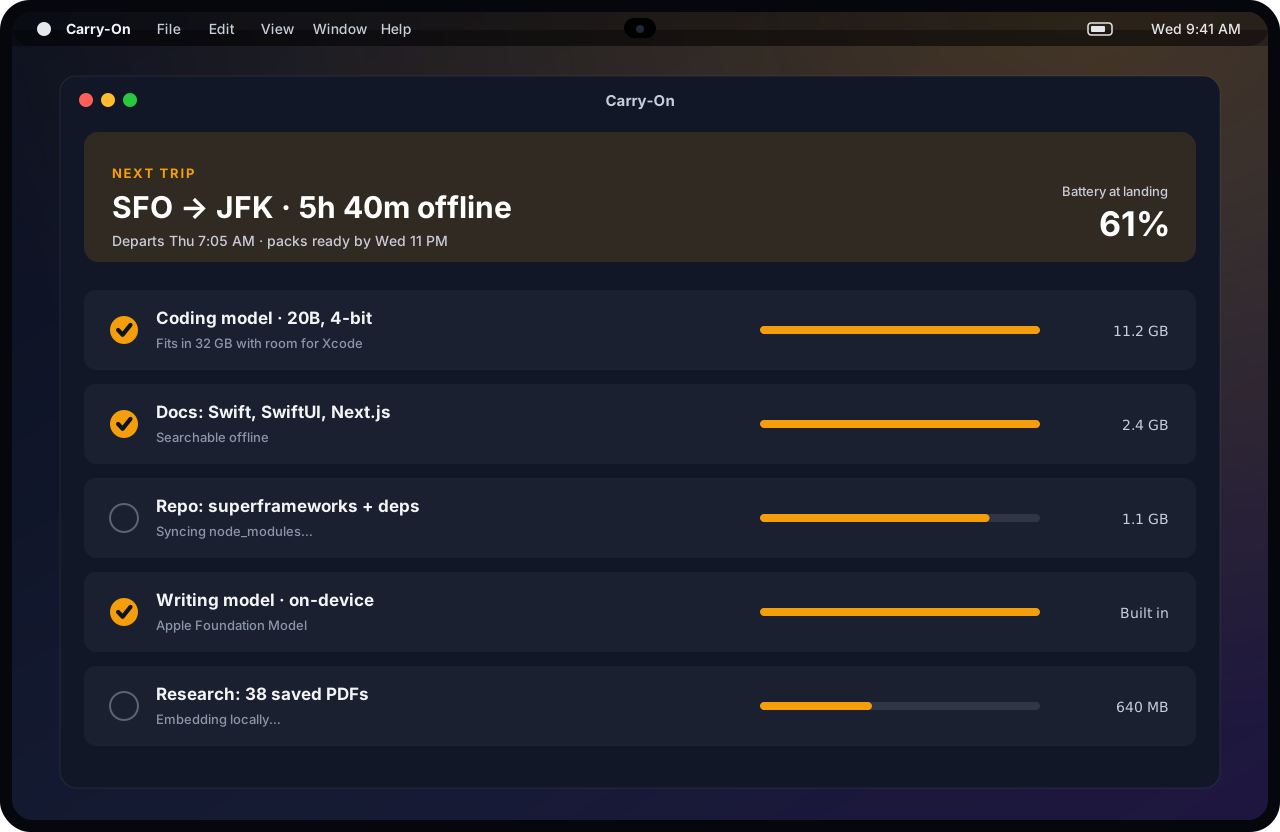
Twenty-four hours of battery makes a long flight a full workday, if your tools work offline. Carry-On reads your calendar, spots a flight, and packs what you need before you board: a local coding model sized to your unified memory, offline docs, synced repos, and research PDFs indexed for local search. It also estimates your battery at landing.
The wedge
Consultants and developers who fly every week lose a day per trip to bad in-flight Wi-Fi. This is a tidy one-time purchase, the kind Mac users still pay for, with an optional sync add-on.
Ship this MVP
Calendar trip detection, a model picker that respects the M6’s 32GB ceiling, docs and repo prefetch, local search over everything packed, and a battery estimate.
Monetization
$29–$49 one-time, plus $5/month for synced packs
Build difficulty: Easy–Medium
#7 MacBook Pro app idea
RedLine: A touch review layer for contracts, comps, and decks
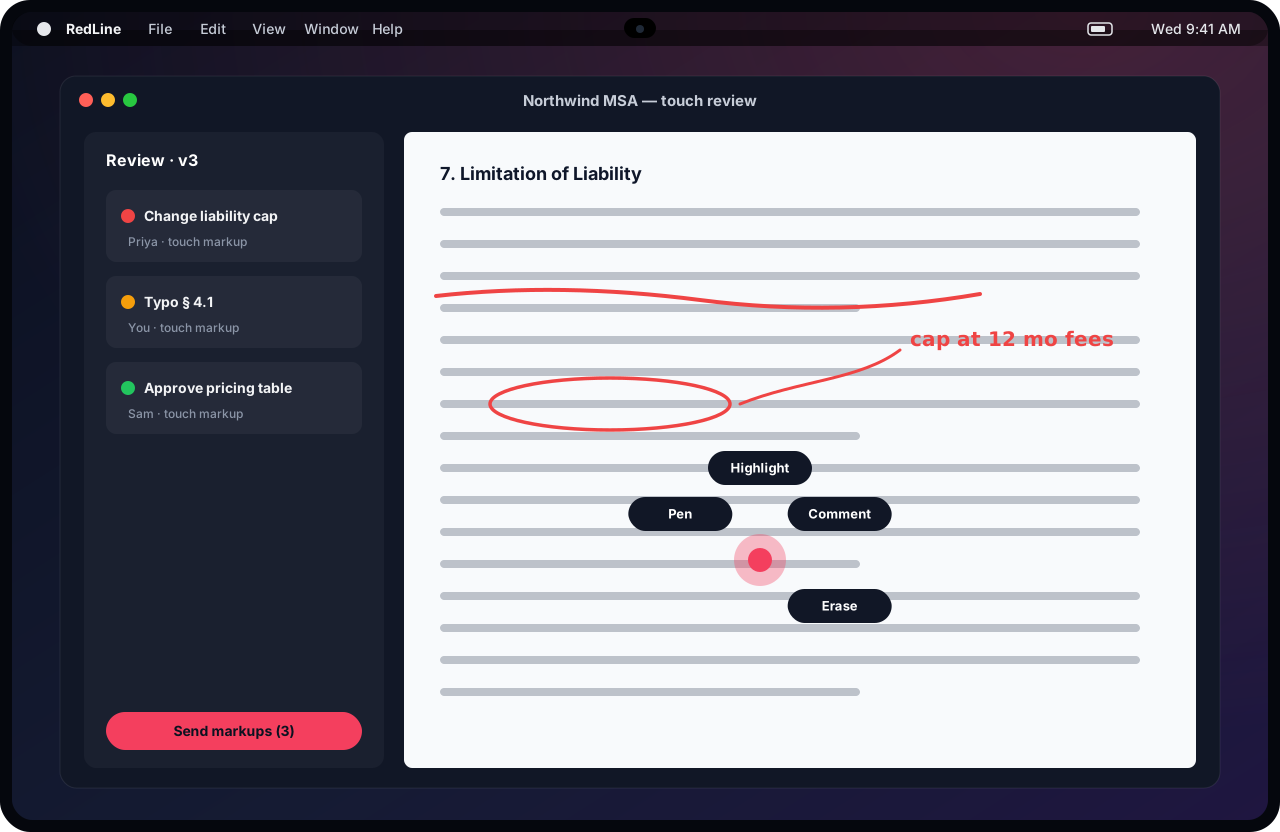
If Apple ships the reported touch-enabled OLED MacBook Pro today, touch arrives as a complement to the keyboard and trackpad. Bloomberg has reported menus that appear around your finger and menu-bar controls that enlarge when tapped. RedLine uses touch only where it beats a trackpad: circling a clause, striking a line, or flicking through 80 pages of comps on a review call.
The wedge
Contract and design reviewers still print, mark up, and scan, or switch to an iPad for a pen. Sell to teams that review documents together, and make the app keyboard-first so it works on every Mac on day one.
Ship this MVP
PDF and image markup with pen, highlight, and comment; separate layers per reviewer; a review summary; and PDF export. Add touch gestures once Apple documents the APIs.
Monetization
$12–$20/month per seat
Build difficulty: Medium
#8 MacBook Pro app idea
LectureLoop: Offline lecture notes that turn into flashcards
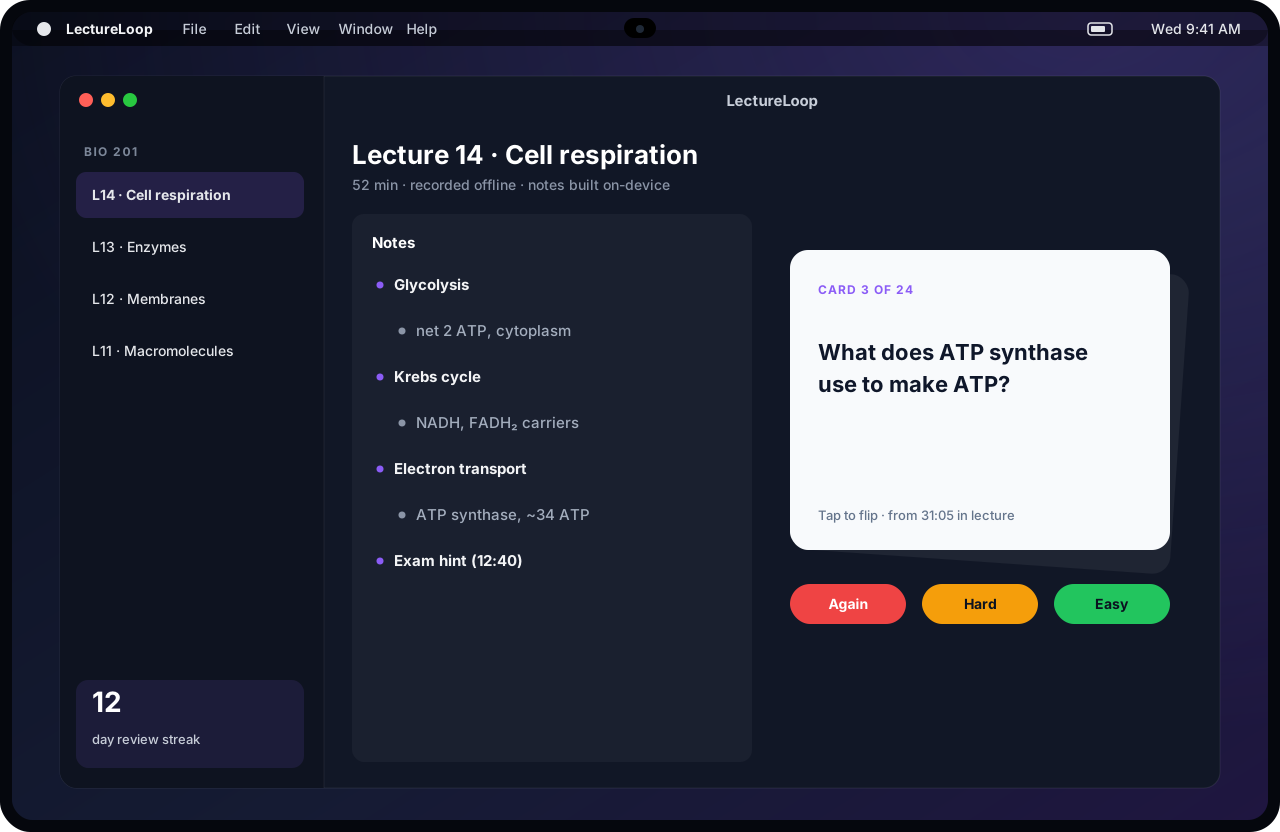
Apple’s launch quote names college students first, and the M6 model is $1,899 with education pricing. LectureLoop records lectures offline, builds notes on the device, and turns them into spaced-repetition flashcards, each linked to the moment in the lecture it came from.
The wedge
Target students in lecture halls with weak Wi-Fi, or at schools that restrict cloud AI. Pick one exam-heavy track, such as pre-med, law school, or the CPA exam, and ship decks in the format those students already study with.
Ship this MVP
A recorder, on-device transcription and an outline, flashcard generation, spaced repetition, and an “exam hint” detector for phrases like “this will be on the test.”
Monetization
$4–$8/month, or $39/year
Build difficulty: Easy–Medium
#9 MacBook Pro app idea
DeskCast: A Desk View tutoring studio for independent teachers
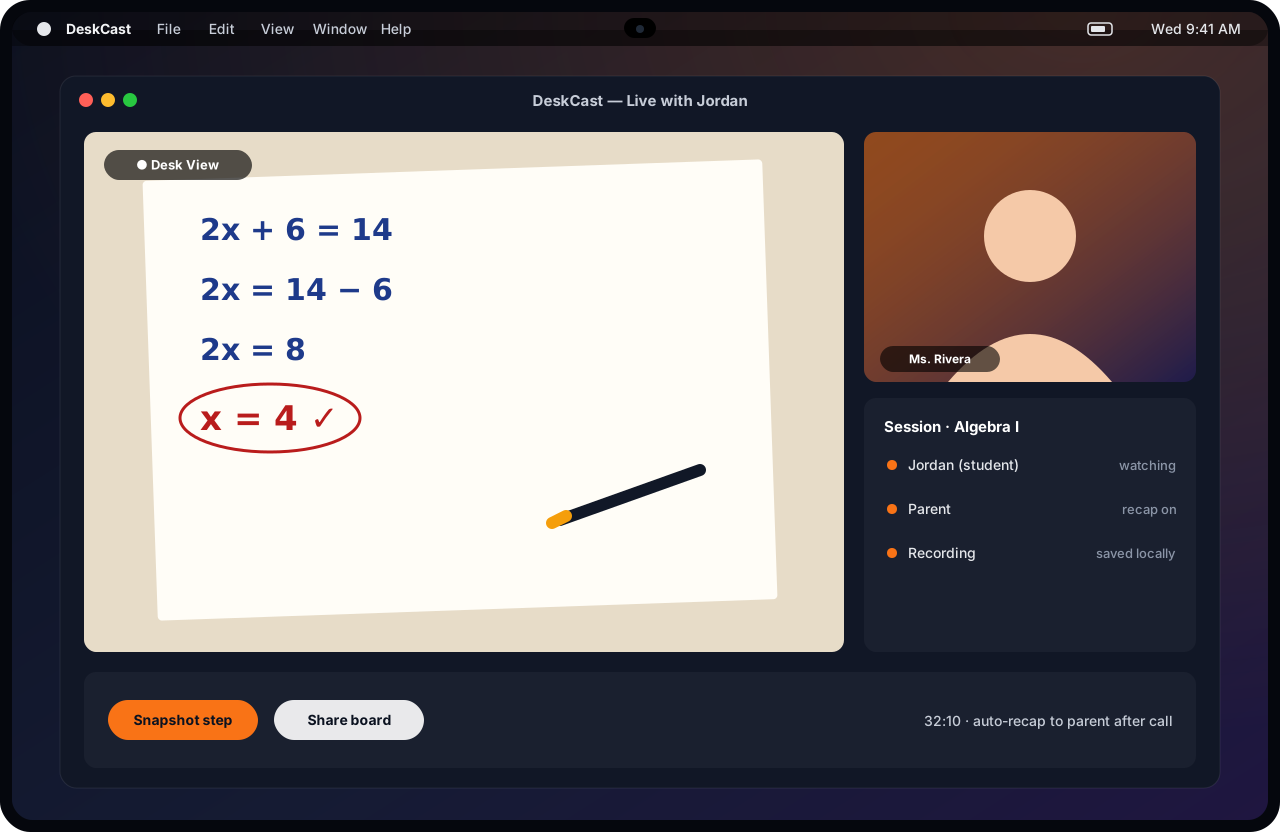
The MacBook Pro’s 12MP Center Stage camera supports Desk View, which shows your face and the paper on your desk at the same time. DeskCast turns that into a teaching studio: a live desk board, step-by-step snapshots, a local recording, and an automatic recap for parents after each session.
The wedge
Independent math, music, and art tutors run sessions over generic video calls with a phone propped over paper. Sell per tutor, and use the parent recap as the retention hook, because parents are the ones paying.
Ship this MVP
A Desk View plus face layout, step snapshots, local recording, an emailed recap with snapshots, and booking and payment links.
Monetization
$12–$19/month per tutor
Build difficulty: Medium
#10 MacBook Pro app idea
SetupDay: A new-Mac rollout tool for teams with no IT department
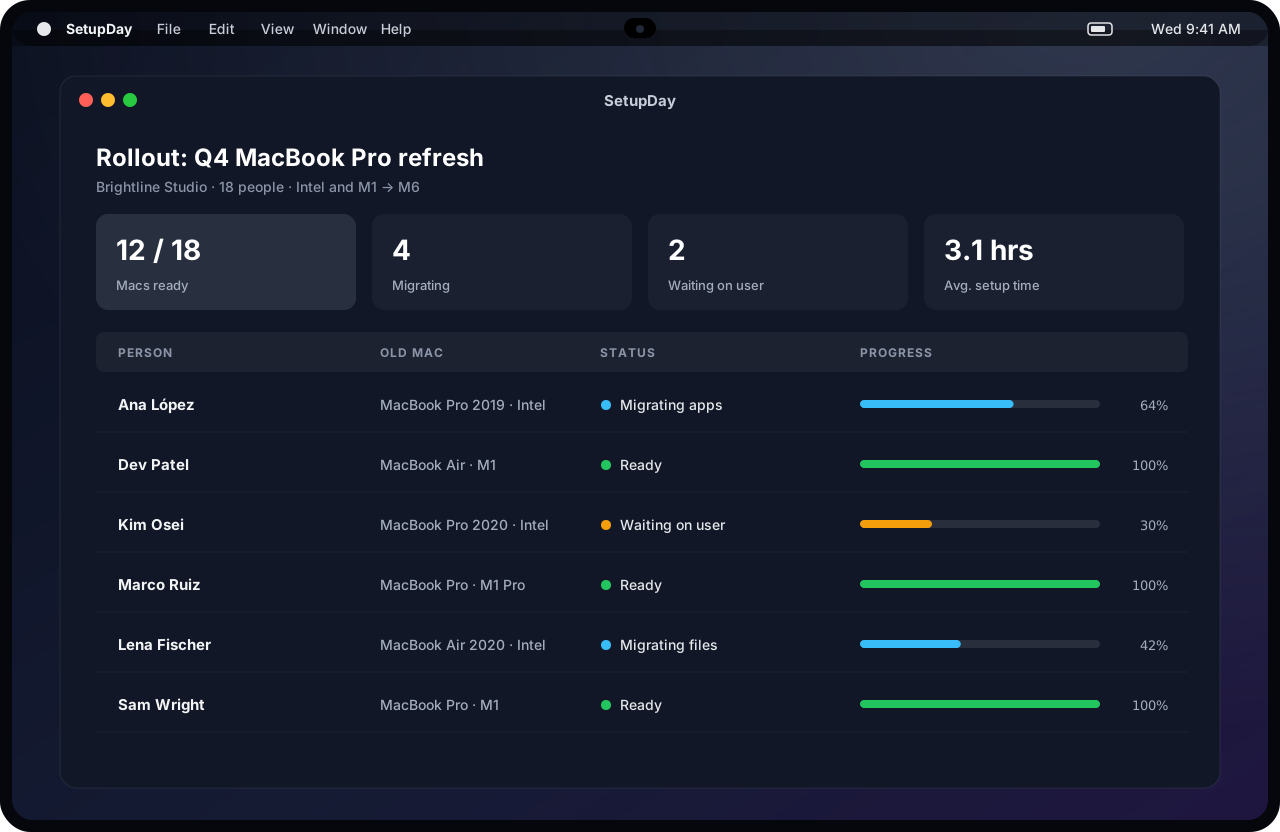
Apple is pitching this MacBook Pro at upgraders: up to 14 more hours of battery than Intel models and up to four more than M1. Small companies replacing a dozen old laptops do it by hand. SetupDay runs the refresh: inventory the old Macs, schedule migrations, install the team’s app stack, and confirm everyone is ready.
The wedge
Target agencies and studios with 5 to 50 people and no IT hire, too small for a full device-management platform. Sell the one-off refresh project first, then upsell ongoing checks.
Ship this MVP
An inventory script, a per-person checklist, a scripted app-stack installer, a migration tracker, and a “ready” sign-off for the owner.
Monetization
$49–$99 per rollout, or $5–$8/device/month
Build difficulty: Medium–Hard
Three Ideas Not to Build
Another local LLM chat app
Free local runners already handle general chat, and Siri AI now sits in Spotlight and every context menu. A new chat box needs a specific job, proprietary data, or a regulated buyer to survive.
A notch or Dynamic Island toy with no job
Notch utilities are already a crowded category, and if Apple ships a Dynamic Island on the Mac, it will absorb the generic ones. A live status is only worth building for a workflow people already pay for, such as agent runs, renders, or recordings.
A touch-only Mac app
Touch is reported as a complement to the keyboard and trackpad, and only on the priciest models. The $1,999 M6 and every Mac already sold have no touchscreen. If the product does not work with a trackpad, most of the market cannot use it.
A 30-Day MacBook Pro App Launch Plan
Days 1–3
Pick one profession and one job where “nothing leaves this laptop” or “works offline” is worth paying for. Write down the cloud tool they are not allowed to use.
Days 4–10
Build the core loop on Apple’s on-device Foundation Model. Design around its small context window with retrieval and chunking, and use Private Cloud Compute or a third-party model only where quality demands it.
Days 11–16
Expose three to five App Intents, plus a matching app schema where one exists, so Siri AI, Spotlight, and Shortcuts can run your app.
Days 17–21
Test unplugged for a full workday on an M6, then on a 16GB M1 Mac. Most of your customers will not upgrade this year.
Days 22–26
Ship direct with license keys or through the Mac App Store. Record a 20-second demo with Wi-Fi visibly off. That clip is your launch asset.
Days 27–30
Recruit 20 users from one profession and charge from day one. Revisit touch only after Apple documents the APIs.
Timing note: The 14-inch MacBook Pro with M6 is official: preorders open October 28, and it arrives November 6. The touchscreen OLED MacBook Pro is not. Bloomberg reports 14-inch and 16-inch models with M5 Pro and M5 Max chips, a Dynamic Island, and a price Apple has discussed at $2,899 for the 14-inch, to be unveiled on October 28. We will update this article once Apple confirms the details and publishes any touch APIs for developers.
The Bottom Line
The M6 MacBook Pro is not a new platform. It is an old, open platform where the cost of AI just fell to zero for the developer and the battery lasts long enough to take that AI anywhere. That is a better opportunity than a new form factor, because there is nothing to wait for. Pick one profession whose work cannot go to the cloud, build the tool that runs entirely on their laptop, and price it like software again. Touch may make some of these apps nicer next month. None of them should need it.
Frequently Asked Questions
What did Apple announce with the new MacBook Pro?
On October 27, 2026, Apple introduced a 14-inch MacBook Pro with the M6 chip, starting at $1,999 ($1,899 with education savings). It has a 12-core CPU, a 12-core GPU with Neural Accelerators in each core, a Neural Engine Apple says is up to 1.9x faster than M5, up to 32GB of unified memory, and up to 24 hours of battery life. Preorders open October 28, and it arrives November 6. The 14-inch and 16-inch models with M5 Pro and M5 Max remain on sale.
Is the touchscreen MacBook Pro out yet?
Not as of this writing. Bloomberg reports that Apple will unveil 14-inch and 16-inch MacBook Pro models with touch-enabled OLED displays, a Dynamic Island, and M5 Pro and M5 Max chips at a “Pro and tell” event on October 28. MacRumors, citing Bloomberg, reports that Apple has discussed a $2,899 starting price for the 14-inch model. None of this is confirmed by Apple yet, and touch is reported as a complement to the keyboard and trackpad, not a replacement.
Can developers use the MacBook Pro’s on-device AI in their apps?
Yes. Apple’s Foundation Models framework gives apps a Swift API to its on-device model, which Apple describes as fast, private, and available offline. Apple says many developers in the App Store Small Business Program can also use its larger model on Private Cloud Compute at no cloud API cost. Core AI runs custom models on the device, MLX handles research and training, and the framework can also connect to models from companies such as Anthropic and Google.
How do third-party apps work with Siri AI on the Mac?
Through App Intents. Apple says Siri can now take action inside an app driven entirely by natural language, and a system orchestrator can combine intents from several apps. To plug into the new Siri AI experience, Apple engineers said at WWDC26 that an app needs to adopt one of Apple’s app schemas, which cover common concepts such as messages, albums, events, and timers.
What is the best MacBook Pro app idea for a solo developer?
A vertical tool for one profession where “nothing leaves this laptop” or “works offline” is worth paying for, such as private meeting notes, local document review, or offline lecture notes. These can ship today on any Apple silicon Mac, carry no per-token cost because inference runs on the customer’s machine, and do not depend on the unconfirmed touchscreen model.
Sources
- Apple Newsroom: Apple introduces the new 14-inch MacBook Pro with M6
- Apple: MacBook Pro
- MacRumors: Apple Announces New 14-Inch MacBook Pro With M6 Chip
- Apple Developer: Inside Apple Intelligence and Xcode — Special Presentation (WWDC26)
- Apple Developer: Apple Intelligence Group Lab (WWDC26)
- MacRumors: OLED Touchscreen MacBook Pro Could Start at $2,899
- 9to5Mac: Touchscreen OLED MacBook Pro launches this week, here’s how the lineup will look
- 9to5Mac: New M6 MacBook Pro details revealed, including Dynamic Island, touch, more
- 9to5Mac: macOS 27.2 reveals new clues about Apple’s touchscreen MacBook Pro
Keep exploring: 10 Best Apple HomeView App Ideas, 10 Best iPhone Duo App Ideas, or use our free business ideas generator to turn one of these wedges into a specific product concept.
Don’t Miss the Next Big Shift
Every week, we break down the trends that matter for indie hackers and SaaS founders, and turn new platform launches into buildable opportunities.
Join 3,000+ founders who stay ahead of the curve
Keep Reading
10 Best Apple HomeView App Ideas to Build for Apple’s New Smart Display
Apple just launched HomeView, its first smart display. These 10 app ideas use its shared screen, face recognition, Siri AI, and home hub to build what a phone cannot.
The Indie Hacker App Cloning Loop: MailCheap, DataFast, and the Race to $0
Marc Lou built a beehiiv alternative. Then founders launched DataFast alternatives. What this week’s cloning loop says about software prices, trust, and distribution.
Anthropic’s IPO Filing Reveals a 20× Agent Spend Gap. What Should SaaS Founders Do With It?
Anthropic’s S-1 reports 900% net revenue retention and a 20× spend gap among its heaviest Claude Code users. Here is what the numbers mean for SaaS founders—and what they do not prove.